


Connect OpenClaw to Supabase
Connect OpenClaw to Supabase in 3 steps: 1. Sign in to ApexGenius and connect Supabase. 2. Add the ApexGenius MCP server. 3. Start using Supabase in OpenClaw.
1,000 free credits · No card required
How to connect Supabase to OpenClaw
- 1Sign in to ApexGenius and connect Supabase
- 2Add the ApexGenius MCP server to OpenClaw
- 3Start using Supabase in OpenClaw
- 1
Connect Supabase to ApexGenius
Open Supabase in ApexGenius
Open Supabase in Connections and choose Connect.
- 2
Connect ApexGenius to OpenClaw
Copy the MCP address
On Start, pick API key, open Manual setup, and copy the MCP address.
- 3
Approve access
ApexGenius opens its approval page. Review the access, then approve.
Add the ApexGenius MCP server to OpenClaw
OpenClaw saves outbound MCP servers under mcp.servers in its config. Add one from the terminal, or in the Control UI under Settings, then MCP.
- Run the command. To use the Control UI instead, open Settings, then MCP, then Add server, choose Streamable HTTP, enter the address, and set
authtooauthin the config editor on that page. - Sign in. In Settings, then MCP, choose Sign in for apexgenius and approve ApexGenius in your browser.
- From a terminal instead, stop the Gateway, run
openclaw mcp login apexgenius, follow the printed authorization URL, then start the Gateway again.
openclaw mcp add apexgenius \
  --url https://server.autom8.pro/mcp \
  --transport streamable-http \
  --auth oauth
Check it. Run openclaw mcp doctor apexgenius --probe. It checks the connection and lists available tools.
Steps follow OpenClaw documentation, Connect MCP servers (opens in a new tab), read November 12, 2026.
Then ask OpenClaw
List the tables in my Supabase project. Do not run SQL or change anything.
Written setup, step by stepShow
Before you start
- An account with permission to use the Supabase resources you intend to connect.
1. Connect Supabase to ApexGenius
- Open Supabase in Connections. Choose Connect, or Add connection when offered. Give the connection a name if prompted. If Gateway setup pending appears, contact ApexGenius support before continuing.
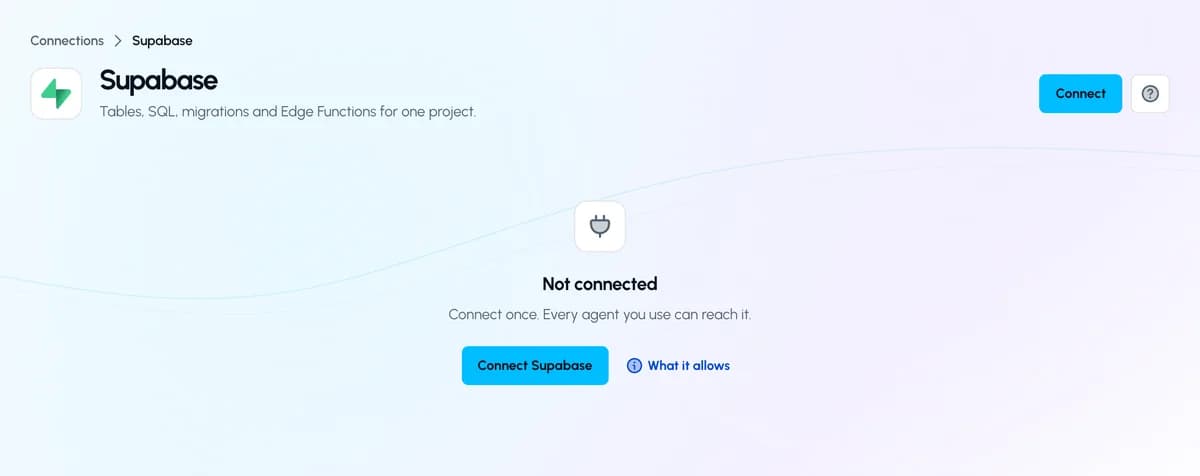
The Supabase page before you connect. Choose Connect to open Supabase's own sign-in.Open full-size image (opens in a new tab) - Choose the account and review access. Sign in on Supabase’s page, choose the organization that owns your project, and approve the access ApexGenius asks for. Supabase uses browser authorization; no API key or database password.
- Review the connected account and resources. On the connection page Overview, turn on the one project your AI may use. Turning one on turns the others off, and with none on, Supabase tools do nothing. Enabled writes run when called: SQL and migrations can change or delete data.
- Check the connection. Use Test connection or Check again and read the reported status. Add an AI agent from the AI agents page, choose Read only for the first test, and try the question below.
2. Connect ApexGenius to OpenClaw
Use this server address when adding the connection:
https://server.autom8.pro/mcpThe steps are above, under Add the ApexGenius MCP server to OpenClaw. These notes apply to OpenClaw only.
- Set the transport. When transport is left out, OpenClaw uses SSE. ApexGenius serves Streamable HTTP, so keep
--transport streamable-http. - Browser on another machine. If the browser cannot reach the callback, copy the code it returns and run
openclaw mcp login apexgenius --codewith that code. - If sign-in is needed again.
openclaw mcp status --verboseshows whether a server needs authorization. Until it is signed in, OpenClaw leaves that one server out of the agent’s tools instead of failing the turn. - Reloading.
openclaw mcp reloadrefreshes only the current CLI process. A Gateway running elsewhere needs its own reload or restart. - Access. When ApexGenius asks what OpenClaw may use, choose Read only for the first test, or Custom to limit it to the tools you need.
3. Try your first question
List the tables in my Supabase project. Do not run SQL or change anything.
List the tables in my Supabase project. Do not run SQL or change anything.Check that the answer matches what you see in Supabase.
Full guide: the Supabase setup guide.
What it looks like in OpenClaw

apex_call_read_toolsalesforce_read · Find matching recordsCompleteapex_call_read_toolsalesforce_read · Read related activityComplete
apex_call_read_tooln8n_get_workflow · Check workflow statusCompleteThree safe example reads returned results.
Read-only routeTry asking
Run the Supabase security advisor on my project and list every table that has row level security turned off.
Show the last hour of API errors in my Supabase logs, grouped by path.
Generate TypeScript types for the public schema of my Supabase project.
Write a migration that adds a created_at column with a default of now() to the orders table, show it to me, then apply it.
What OpenClaw can do in Supabase
20 operations: 12 read, 8 write. Read looks things up and changes nothing. Writes change Supabase and run only when you turn them on.
Database
3 read · 2 writelist_tablesreadLists the tables in the chosen schemas, with their columns.
list_extensionsreadLists the Postgres extensions in the database.
list_migrationsreadLists the migrations applied to the database.
execute_sqlwriteRuns any SQL in the database, so it can change or delete rows. There is no undo.
apply_migrationwriteApplies a schema change and records it as a migration. Only another migration reverses it.
Logs and advisors
2 readquery_logsreadReads the project logs by service, such as the API, Postgres, Auth or Edge Functions.
get_advisorsreadReads the security and performance advice for the project.
Project details
3 readget_project_urlreadReads the project's API URL.
get_publishable_keysreadReads the project's publishable keys, which are safe to ship in an app.
generate_typescript_typesreadGenerates TypeScript types from the database schema.
Edge Functions
2 read · 1 writelist_edge_functionsreadLists the Edge Functions in the project.
get_edge_functionreadReads the code of one Edge Function.
deploy_edge_functionwritePublishes a new or changed Edge Function, which runs at once.
Branches
1 read · 5 writelist_branchesreadLists the project's branches and their status.
create_branchwriteStarts a branch with the project's migrations. Branches are billed by the hour.
rebase_branchwriteBrings the project's newer migrations into a branch.
merge_branchwriteApplies a branch's migrations and functions to the project.
reset_branchwriteThrows away a branch's changes since a migration.
delete_branchwriteDeletes a branch and everything in it.
Docs
1 readsearch_docsreadSearches the Supabase documentation for an answer.
You choose the access. When you approve OpenClaw, pick Full access, Read only, or Custom.
Supabase uses browser authorization: you pick the organization on Supabase's page and approve. No API key, access token or database password is pasted into ApexGenius.
A connection reaches one project, the one you turn on. Turning one on turns the others off, and with none on, Supabase tools do nothing. Tools that list, create or pause projects are not exposed.
Writes run when called unless you set a tool to Ask me first. execute_sql, apply_migration, merge_branch, reset_branch and delete_branch can change or delete data with no undo, and create_branch is billed by the hour.
Questions about connecting OpenClaw to Supabase
Updated November 12, 2026.
How do I connect OpenClaw to Supabase?
Sign in to ApexGenius and connect Supabase. In OpenClaw, run openclaw mcp add apexgenius --url https://server.autom8.pro/mcp --transport streamable-http --auth oauth, then sign in from Settings, then MCP. Then ask OpenClaw: “List the tables in my Supabase project. Do not run SQL or change anything.” Start with a read, so nothing changes.
How do I check that OpenClaw can use Supabase?
Run openclaw mcp doctor apexgenius --probe. It opens a live connection and lists what the server offers. If openclaw mcp status --verbose reports that authorization is required, sign in again from Settings, then MCP, or with openclaw mcp login apexgenius. Then ask: “List the tables in my Supabase project. Do not run SQL or change anything.”
What do I need to connect Supabase?
A Supabase account that can open the project. Choose Connect, sign in on Supabase, pick the organization and approve. Then turn on the one project your AI may use.
Can my AI reach every project in my organization?
No. A connection reaches only the project you turn on, and nothing while none is on. To work in another project, turn that one on instead.
Can my AI change or delete data?
Yes, when the tool is enabled. execute_sql and apply_migration can change or delete rows and tables, and there is no undo. Set those tools to Ask me first, or give a Read only key to agents that should only look.
Does this use Supabase hosted MCP?
Yes. ApexGenius connects to Supabase's official hosted MCP server at mcp.supabase.com with Supabase's own sign-in. ApexGenius never sees your database password.
What should I test first?
Ask your AI to list the tables in your project. It is a read and changes nothing.
More connections like this one
OpenClaw with other apps
 Cal.com
 GitHub
 Stripe
 Linear
 Jira
 HQ Rental
 Google Forms
 Google Tasks
All 50 apps OpenClaw can use
 Google Calendar
 Google Sheets
 Calendly
 ClickUp
 monday.com
 ElevenLabs
 FreshBooks
 Trello
 GitLab
 Outlook Calendar
 Mobbin
 Slack
 Discord
 ChatGPT Ads
 Context.dev
 Attio
 Semrush
 Notion
 Apify
 Google Ads
 Google Analytics
 Google Meet
 Gmail
 Google Chat
 Google Docs
 Google Drive
 Google Slides
 Apollo
 Blotato
 Bing Webmaster
 Atlassian Rovo
 Polymarket
 OP.GG
 YouTube
- YouTube Analytics
- Salesforce
- n8n
 Confluence
 Google Search Console
 TypeSafe
 HubSpot
- Microsoft Outlook
 Claude
 Grok Bot
 Muse
Connect Supabase to OpenClaw today
Start free1,000 free credits. No card required. Disconnect any time.