

Connect Muse to Salesforce
Ask Muse a question about your org and get the answer from the live records, then move into schema, Apex, and deployment work when the task needs it.
7 days free · No card required
How to connect Salesforce to Muse
Read the steps Follow along at your own pace
1. Create your account

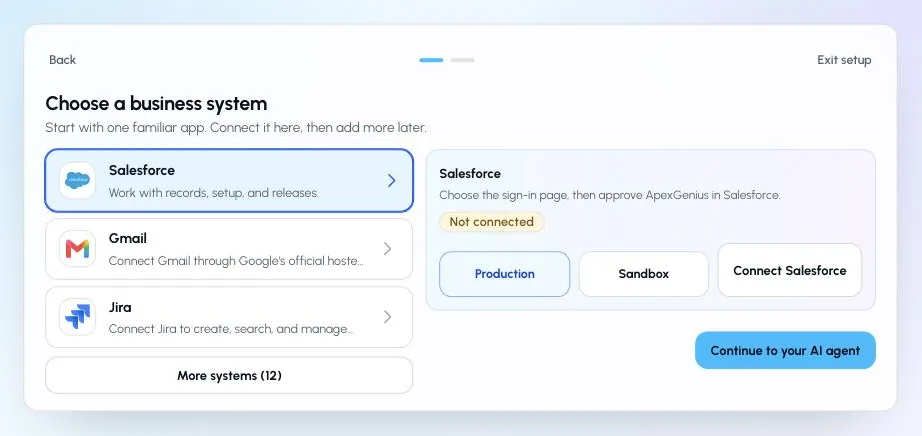
2. Choose Salesforce
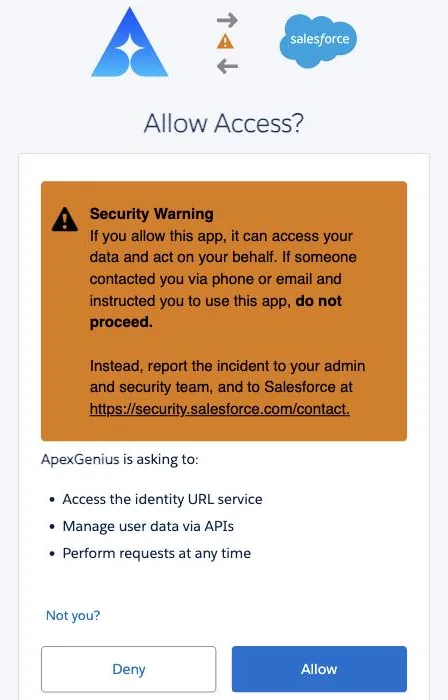
3. Allow access
4. Choose Muse
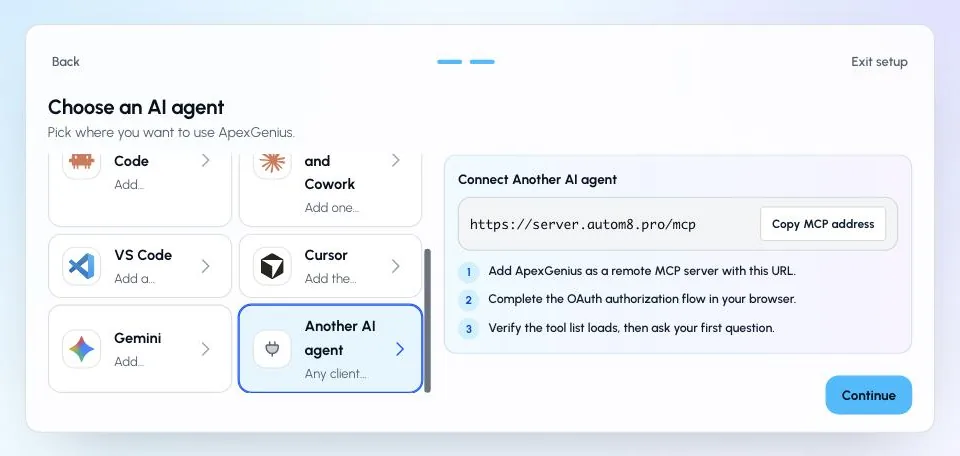
In Muse: In Muse, ask for a custom ApexGenius connector and paste the Muse setup prompt from ApexGenius API Access. Muse reads the OAuth details and shows an ApexGenius connector card. Choose Connect, then sign in to ApexGenius and approve access in your browser.
Additional reference: the Salesforce setup guide.
Start freeWhat it looks like in Muse
An illustrative read-only request and response. Your results come from the account and dates you choose.

apex_search_toolsSalesforce records · Find the Salesforce read pathCompleteapex_call_read_toolquery_soql · Query opportunities closing this monthCompleteapex_call_read_toolquery_soql · Read owner namesCompleteSix opportunities over 50k close this month. Four belong to Priya Shah, two to Marcus Lee. The largest is Acme Renewal at 180k, stage Negotiation. Nothing was changed.
Read-only routeWhat you can ask once it is connected
“Which opportunities over 50k are closing this month and who owns them?”
“Describe the Case object, including picklists and required fields.”
“Which validation rules on Opportunity changed most recently?”
“Pull the Account trigger and explain what it changes.”
You choose what Muse is allowed to touch
Choose the saved accounts and tools this Muse connection may use. Its authorization carries that scope, and each app connection’s tool and resource restrictions still apply.
- Full accessEvery enabled tool on the connections you choose.
- Read onlyLooks things up, changes nothing.
- CustomPick apps and tools one by one.
- · The selected Salesforce connection remains visible in the gateway workspace.
- · Tool availability is resolved for the current connection and account context.
- · Supported Salesforce write activity is recorded for review.
- · Each tool runs right away unless you set it to Ask me first.
The Salesforce operations Muse can run
21 operations: 11 Read and 10 Write. Available tools depend on your connection and permissions. Review any action that changes or removes data. Muse discovers these operations through the ApexGenius gateway.
list_projectsReadList accessible Salesforce connections and their environment details.query_soqlReadRun SOQL and return selected Salesforce fields.get_recordReadRetrieve one record by object type and ID.list_objectsReadList accessible Salesforce objects.describe_objectReadReturn fields, types, picklists, relationships, and permissions.search_recordsReadSearch records across Salesforce objects.read_fileReadRead one staged component or documentation file.list_filesReadList staged or documentation files with an optional folder or pattern filter.grepReadSearch staged file names or contents.check_deploy_statusReadRead deployment status, component results, and test details.list_live_metadataReadList live components of one metadata type in the selected org.create_recordWriteCreate one Salesforce record.write_fileWriteCreate or overwrite a Salesforce metadata component or Markdown document in private staging.edit_fileWriteReplace exact matching content in a staged Salesforce metadata component or document.cancel_deployWriteCancel an in-progress Salesforce deployment.get_live_componentWritePull one live component into the private staging workspace.update_recordWriteUpdate selected fields on one Salesforce record.delete_recordWriteDelete one Salesforce record by ID.execute_anonymous_apexWriteExecute supplied anonymous Apex, which can change or delete data.delete_fileWritePermanently remove one staged component or documentation file.deployWriteDeploy selected staged files with the requested Salesforce test level.
Questions people ask first
Does Muse need anything installed for this?
No. ApexGenius is a hosted remote MCP server. Muse reaches it through a custom connector and you approve access in the browser, so nothing runs on your machine.
Can Muse change records or deploy on its own?
Only if you leave those operations on. Delete, anonymous Apex, and deploy are marked destructive, and you can set any of them to Ask me first.
Do I need my own Salesforce connected app?
No. You sign in with Salesforce OAuth and ApexGenius holds the authorization for the connection, refreshing it as Salesforce requires.
Can I connect production and a sandbox at the same time?
Yes. Each org is its own Salesforce connection, and an AI agent can be scoped to one of them, both, or neither.
Can an agent delete records or deploy without me?
The operation must be enabled in the access you authorize. Choose Read only to exclude writes. Delete, anonymous Apex, and deploy carry risk labels; confirmation behavior depends on the tool and AI client, with no universal server-side human-approval guarantee.
Is my Salesforce data stored by ApexGenius?
The ordinary MCP path does not intentionally retain record results. Operational, connection, credential, usage, and audit data is retained so activity can be reviewed.
Which AI agents can use this connection?
Codex starts in Plugins in the ChatGPT desktop app. Claude, Claude Code, Cursor, VS Code, and ChatGPT Work each have their own setup guide. Authorize the saved Salesforce connection separately for each AI client; availability and controls vary.
Connect Salesforce to Muse today
Start free7 days free. No card required. Disconnect any time.