


Connect Codex to HQ Rental
Connect Codex to HQ Rental in 3 steps: 1. Sign in to ApexGenius and connect HQ Rental. 2. Add the ApexGenius plugin. 3. Start using HQ Rental in Codex. Start in Plugins in the ChatGPT desktop app and authorize your connection.
1,000 free credits · No card required
How to connect HQ Rental to Codex
- 1Sign in to ApexGenius and connect HQ Rental
- 2Add the ApexGenius plugin to Codex
- 3Start using HQ Rental in Codex
FirstConnect HQ Rental to ApexGenius
ThenConnect ApexGenius to Codex
HQ Rentalapexgenius.ai/connections/hq_rental1 of 3Connect HQ Rental. HQ Rental shows as connected in ApexGenius.
Then ask Codex:
List the locations available in my connected HQ Rental tenant. Do not create or change a reservation.
Written setup, step by stepShow
Before you start
- HQ Rental API access enabled by an administrator.
- The tenant label, API region, tenant token, and user token for the intended tenant.
1. Connect HQ Rental to ApexGenius
- Open HQ Rental in Connections. Choose Connect or Add connection to open the HQ Rental form.
- Enter the tenant and user credentials. Choose the assigned API region. Enter the tenant label, tenant token, and user token supplied by your HQ administrator.
- Verify and connect. Choose Verify and connect. ApexGenius checks a location search before saving. Confirm the tenant and reported status after the form closes.
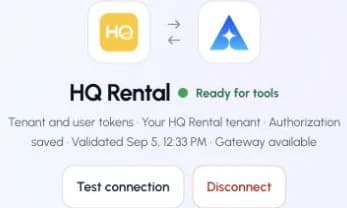
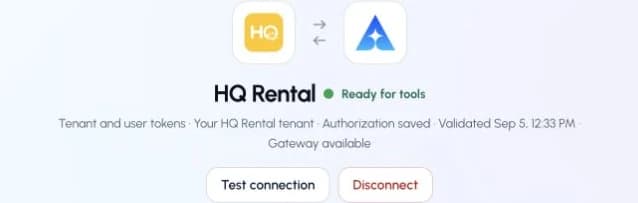
This captured HQ Rental connection reports ready. Check your own connection and its latest validation before using tools.Open full-size image (opens in a new tab)
2. Connect ApexGenius to Codex
- In the desktop app, open Settings, then MCP servers and Add server.
- Name the server ApexGenius, choose Streamable HTTP, and paste the MCP address above.
- Save, then select Restart. Choose Authenticate for ApexGenius and complete the browser sign-in.
- When ApexGenius asks what this AI client may use, choose Read only for the first test, or Custom to limit it to the tools you need.
- Start a new conversation and select ApexGenius from the available tools before asking for live data.
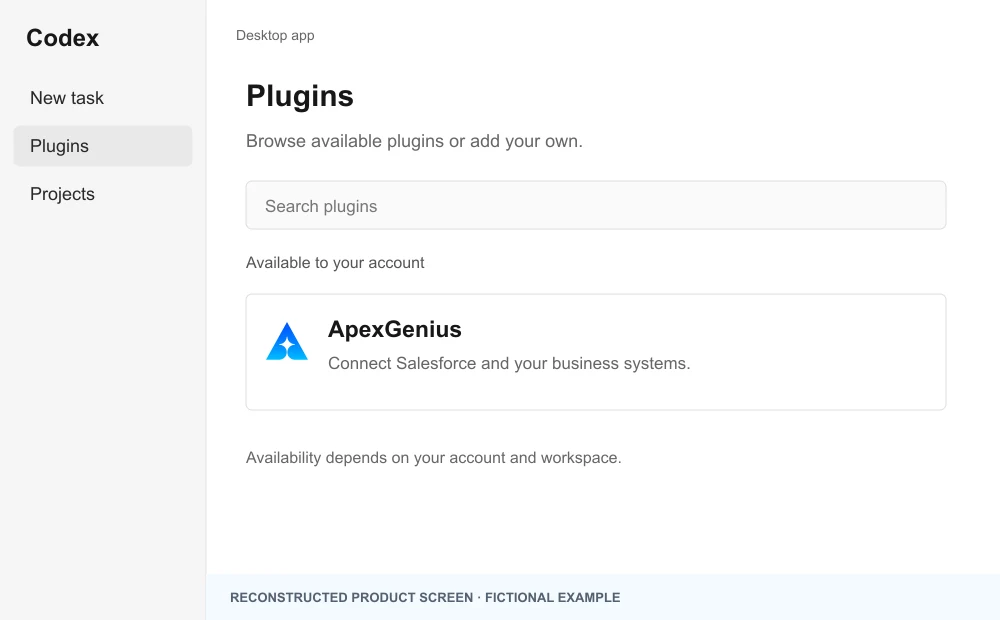
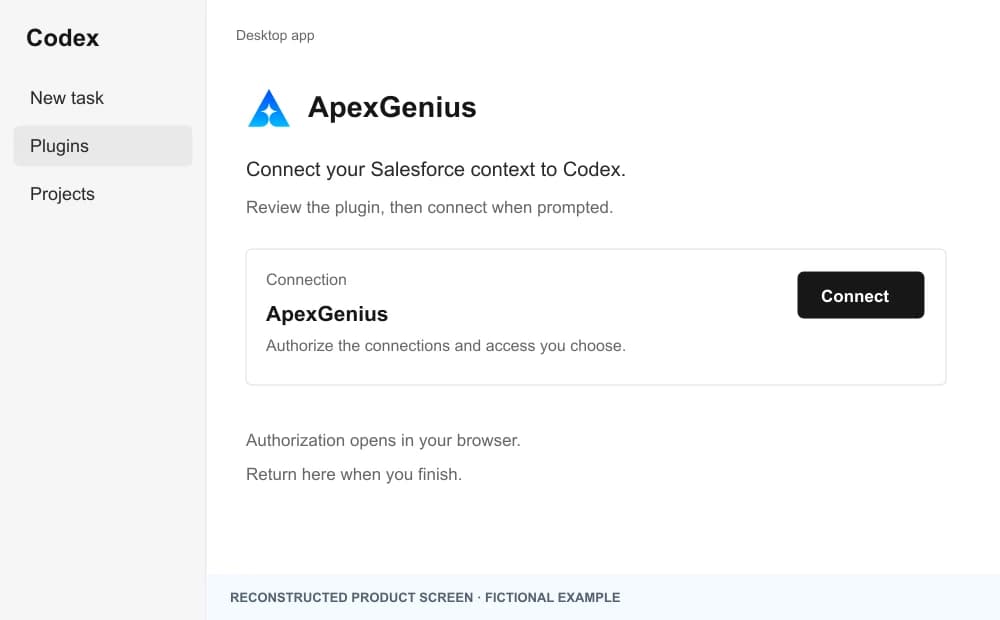
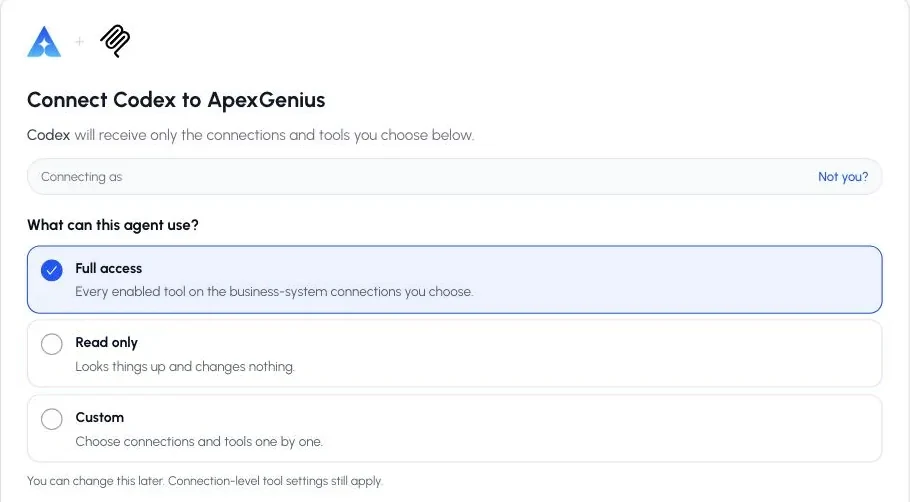
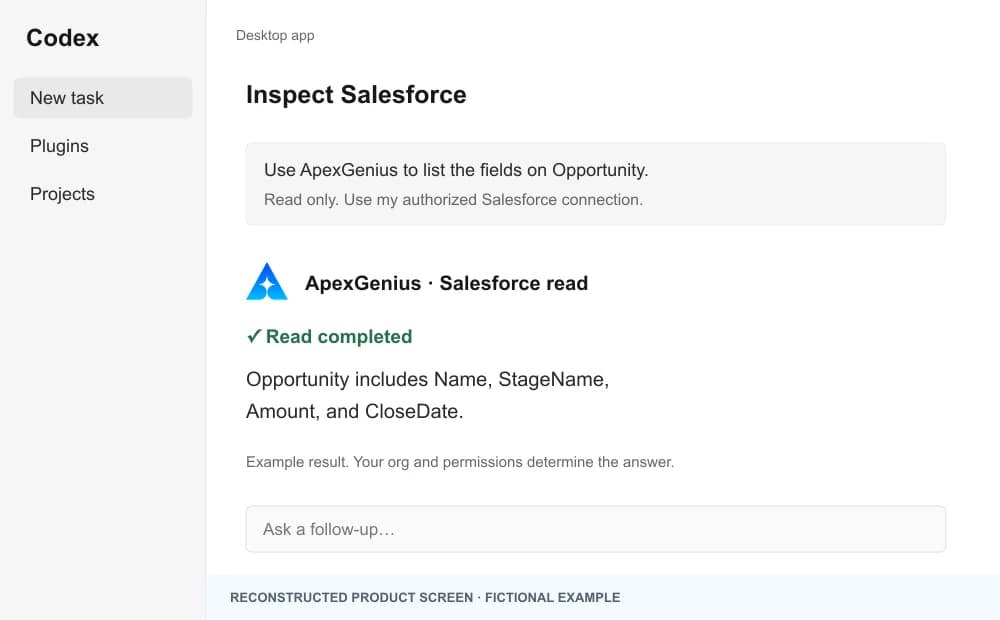
The walkthrough uses the original ChatGPT web plugin captures. After connecting, open Codex in the desktop app and start a new task with ApexGenius. A ChatGPT web connection does not verify Codex access.
A public ApexGenius plugin listing is not verified. Use a plugin shared with you or one you created, subject to your account and workspace policy.
Create a personal plugin
Where Developer mode is available, open ChatGPT Settings, then Security and login, and enable it. In Plugins, select the plus button, enter ApexGenius and a description, then add this URL under Connection. Create the connection, complete OAuth, and review the tools. Return to Codex in the desktop app and start a new task with the plugin enabled.
https://server.autom8.pro/mcpNo plugin available? Use desktop settings
- In the ChatGPT desktop app, open Settings, then MCP servers, then Add server.
- Name the server ApexGenius, choose Streamable HTTP, and paste the MCP address below.
- Save, select Restart, then Authenticate. Sign in to ApexGenius and authorize the intended connections and access.
- Start a new Codex task and ask one read-only question. Check the returned result and its matching successful read in Activity.
https://server.autom8.pro/mcpManual setup for developers
Codex CLI is optional. Run these commands, complete browser authorization, then start a new session. Do not paste bearer tokens or static authorization headers.
Register the remote MCP server
codex mcp add apexgenius --url https://server.autom8.pro/mcpAuthorize in your browser
codex mcp login apexgeniusInspect registered servers
codex mcp listThe desktop app, CLI, and IDE extension share MCP configuration on the same host. The IDE extension does not install plugins. ChatGPT web does not read local Codex configuration.
3. Verify one safe read
List the locations available in my connected HQ Rental tenant. Do not create or change a reservation.
List the locations available in my connected HQ Rental tenant. Do not create or change a reservation.Compare the returned locations with the intended HQ Rental tenant.
What Codex can do in HQ Rental
114 operations. Read looks things up and changes nothing. Write changes HQ Rental and runs only when that tool is enabled.
Read60 operations
Looks things up. Changes nothing.Reservations
hqrental_get_reservationGet a reservation by IDhqrental_search_reservationsSearch reservationshqrental_calculate_quoteCalculate a rental quote (price + applicable charges) without creating a reservationhqrental_list_available_vehicles_for_reservationList vehicles available for a specific reservationhqrental_list_free_upgradesList free vehicle-class upgrades available for a reservationhqrental_get_extensionsList extensions for a reservationhqrental_list_agentsList rental agents (staff)
Charges, agreements and comments
hqrental_get_external_chargesList external charges (tolls, parking, damages) on a reservationhqrental_get_adjustmentsList price adjustments on a reservationhqrental_get_rental_agreementFetch the rental agreement document for a reservationhqrental_list_reservation_commentsList the comments people added to a reservation. Broker and system comments appear on the reservation itself.
Fleet
hqrental_get_vehicleGet a vehicle by IDhqrental_search_vehiclesSearch vehicles in the fleethqrental_check_vehicle_availabilityValidate a date range and return available vehicle classeshqrental_list_vehicle_damagesList damages recorded on a vehiclehqrental_get_vehicle_damageGet a vehicle damage recordhqrental_list_blocked_periodsList blocked periods for a vehiclehqrental_list_relocationsList vehicle relocations
Maintenance and telematics
hqrental_get_maintenance_historyGet maintenance history for a vehiclehqrental_list_repair_ordersList repair orders (optionally filtered by vehicle)hqrental_get_repair_orderGet a repair order by IDhqrental_get_obd_historyGet OBD telematics events for a vehiclehqrental_get_obd_history_allGet telematics events across all vehicles, a page at a time.hqrental_get_vehicle_tripsGet telematics trips for a vehiclehqrental_get_vehicle_alertsGet telematics alerts for a vehicle in a date range
Customers
hqrental_get_customerGet a customer by ID within its contact category.hqrental_search_customersSearch customers (contacts)hqrental_list_customer_creditsList credit transactions for a customerhqrental_list_contact_categoriesList contact categories. Most customer reads and writes need one.hqrental_get_contact_categoryGet a single contact category by ID
Payments and refunds
hqrental_get_paymentGet a payment-gateway transaction by IDhqrental_search_paymentsSearch payment-gateway transactionshqrental_get_refundsList refunds on a reservation
Rates and pricing
hqrental_get_rateGet a rate by IDhqrental_search_ratesSearch rateshqrental_list_seasonsList rate seasonshqrental_get_seasonGet a season by IDhqrental_list_rate_typesList rate typeshqrental_get_rate_typeGet a rate type by IDhqrental_list_packagesList bundle packageshqrental_get_packageGet a package by IDhqrental_list_package_itemsList items inside packageshqrental_list_additional_chargesList configured additional charges (insurance, equipment, fees)hqrental_get_additional_chargeGet an additional charge by ID
Locations and vehicle catalog
hqrental_get_locationGet a location by IDhqrental_search_locationsSearch locationshqrental_daily_manifestDaily operations dashboard (pickups, returns, manifests)hqrental_list_featuresList vehicle featureshqrental_get_featureGet a vehicle feature by IDhqrental_list_vehicle_typesList vehicle types/classeshqrental_get_vehicle_typeGet a vehicle type by IDhqrental_list_vehicle_modelsList vehicle modelshqrental_get_vehicle_modelGet a vehicle model by IDhqrental_list_vehicle_brandsList vehicle brands, which HQ calls branches.hqrental_get_vehicle_brandGet a vehicle brand by ID
Traffic fines
hqrental_list_finesList traffic fineshqrental_get_fineGet a fine by ID
Email, files and webhooks
hqrental_list_email_templatesList configured email templateshqrental_get_email_templateGet an email template by IDhqrental_list_filesList files (optionally filtered by attached item)
Write54 operations
Changes HQ Rental. Runs only when enabled.Reservations
hqrental_create_reservationCreate and confirm a reservationhqrental_update_reservationUpdate a reservation: dates, location, vehicle class, customer or charges.hqrental_set_reservation_statusChange a reservation status: open, cancelled, pending, quote, no show or ready for pickup.hqrental_send_quoteStore a quote and email it to a customerhqrental_assign_vehicleAssign a vehicle to a reservation (check-in)hqrental_detach_vehicleDetach the vehicle from a reservation (check-out)hqrental_apply_free_upgradeApply a free vehicle-class upgrade to a reservationhqrental_create_extensionExtend a reservation to a new return date/timehqrental_delete_extensionDelete a reservation extensionhqrental_assign_agentAssign primary or return agent to a reservation
Charges, agreements and comments
hqrental_create_external_chargeAdd an external charge to a reservationhqrental_delete_external_chargeDelete an external charge from a reservationhqrental_create_adjustmentCreate a price adjustment on a reservationhqrental_delete_adjustmentDelete a reservation adjustmenthqrental_mark_reservation_signedSet the signed date on a reservation.hqrental_upload_signatureUpload the primary driver signature image to a reservationhqrental_create_reservation_commentAdd a comment to a reservationhqrental_delete_reservation_commentDelete a reservation commenthqrental_send_reservation_emailSend a reservation confirmation or contract email
Fleet
hqrental_reserve_vehicleReserve a vehicle, or cancel that hold.hqrental_update_vehicleUpdate vehicle fields. Tenant fields such as registration expiry go in custom fields.hqrental_create_vehicle_damageRecord a damage on a vehiclehqrental_update_vehicle_damageUpdate a vehicle damage recordhqrental_create_blocked_periodBlock a vehicle for a date/time rangehqrental_update_blocked_periodUpdate a blocked periodhqrental_delete_blocked_periodDelete a blocked periodhqrental_create_relocationCreate a vehicle relocationhqrental_update_relocationUpdate a vehicle relocationhqrental_delete_relocationDelete a vehicle relocation
Customers
hqrental_create_customerCreate a customer through the booking flow. Tenant fields go in custom fields.hqrental_create_customer_creditCreate a customer credit transactionhqrental_update_customer_creditUpdate a customer credit transactionhqrental_delete_customer_creditDelete a customer credit transactionhqrental_merge_customersMerge one or more contacts into a target contact
Payments and refunds
hqrental_create_paymentRecord an offline payment on a reservationhqrental_update_paymentUpdate a payment on a reservationhqrental_charge_credit_cardCharge a credit card on a reservation (uses saved card or sends a payment request)hqrental_refund_security_depositRefund a security deposit, offline against a payment or online through the payment gateway.hqrental_create_refundCreate a refund on a reservationhqrental_update_refundUpdate a refund on a reservationhqrental_delete_refundDelete a refund from a reservation
Rates and pricing
hqrental_create_seasonCreate a seasonhqrental_update_seasonUpdate a seasonhqrental_delete_seasonDelete a seasonhqrental_create_rate_typeCreate a rate typehqrental_update_rate_typeUpdate a rate typehqrental_delete_rate_typeDelete a rate type
Traffic fines
hqrental_create_fineRecord a traffic finehqrental_update_fineUpdate a finehqrental_delete_fineDelete a fine
Email, files and webhooks
hqrental_trigger_email_templateSend an email template against any record (reservation, contact, etc.)hqrental_upload_fileUpload a file (e.g. attach a toll receipt PDF to an external charge)hqrental_delete_fileDelete a file by IDhqrental_register_webhookRegister a webhook receiver URL
You choose what Codex can use
When you approve Codex, pick Full access, Read only, or Custom. Read only allows the Read operations and nothing else. Custom picks apps and tools one by one.
Limits in HQ Rental
- · The tenant and the permissions on its user token decide what can be read and changed.
- · Payments, card charges, refunds and sent emails reach real customers and money. Keep those tools off unless you need them.
- · Enabled writes run immediately. Turn a tool off to block calls.
- · Disconnecting stops future access. It does not undo a booking, charge, refund or sent email.
What it looks like in Codex
An illustrative read-only request and response. Your results come from the account and dates you choose.
apex_search_toolsHQ Rental locations · Find the HQ Rental read routeCompleteapex_call_read_toolhqrental_search_locations · Search locationsCompleteIllustrative example: three locations, the airport, downtown and the harbor office. Compare them with the tenant you meant to connect. Nothing was changed.
Read-only routeTry asking
“List the locations available in my connected HQ Rental tenant. Do not create or change a reservation.”
“Show today’s pickups and returns at the location I name.”
“Which vehicle classes are free at the airport location next Friday through Sunday, and what would a quote cost?”
“Extend reservation 4821 to return on Monday at noon. Show me the new total first.”
More connections like this one
One ApexGenius account covers every pair below. Connect an app once and each agent you allow can use it.
Codex with other apps
 MobbinConnect Codex to Mobbin
 Cal.comConnect Codex to Cal.com
 SlackConnect Codex to Slack
 DiscordConnect Codex to Discord
 ChatGPT AdsConnect Codex to ChatGPT Ads
 GitHubConnect Codex to GitHub
 StripeConnect Codex to Stripe
 Context.devConnect Codex to Context.dev
 AttioConnect Codex to Attio
 SemrushConnect Codex to Semrush
 NotionConnect Codex to Notion
 ApifyConnect Codex to Apify
 LinearConnect Codex to Linear
 JiraConnect Codex to Jira
 Google AdsConnect Codex to Google Ads
 Google AnalyticsConnect Codex to Google Analytics
 Google FormsConnect Codex to Google Forms
 Google MeetConnect Codex to Google Meet
 Google TasksConnect Codex to Google Tasks
 GmailConnect Codex to Gmail
 Google CalendarConnect Codex to Google Calendar
 Google ChatConnect Codex to Google Chat
 Google DocsConnect Codex to Google Docs
 Google DriveConnect Codex to Google Drive
 Google SheetsConnect Codex to Google Sheets
 Google SlidesConnect Codex to Google Slides
 ApolloConnect Codex to Apollo
 BlotatoConnect Codex to Blotato
 Bing WebmasterConnect Codex to Bing Webmaster
 CalendlyConnect Codex to Calendly
 ClickUpConnect Codex to ClickUp
 YouTubeConnect Codex to YouTube
- YouTube AnalyticsConnect Codex to YouTube Analytics
 SalesforceConnect Codex to Salesforce
 n8nConnect Codex to n8n
 ConfluenceConnect Codex to Confluence
 Google Search ConsoleConnect Codex to Google Search Console



Questions people ask first
How do I connect HQ Rental?
Ask your HQ administrator to enable Custom Integration, then open HQ Rental in ApexGenius Connections and enter the API region, tenant label, tenant token and user token. ApexGenius checks a location search before it saves the connection.
What can my AI read?
Reservations, vehicles, customers, rates, payments, maintenance, telematics, fines and files, within the permissions of the user token you entered.
Can my AI book or change rentals?
Yes. It can create and change reservations, charges, fleet records and customers. Enabled writes run immediately. Turn a tool off to block calls.
Can my AI move money?
Card charges, payments, deposits and refunds are on the tool list and marked destructive where they move money. Turn those tools off unless you want your AI to use them.
Can I start with read-only access?
Yes. Choose Read only when you add your AI agent, and the write tools never reach its tool list.
Connect HQ Rental to Codex today
Start free1,000 free credits. No card required. Disconnect any time.