


Connect Codex to TypeSafe
Connect Codex to TypeSafe in 3 steps: 1. Sign in to ApexGenius and connect TypeSafe. 2. Add the ApexGenius plugin. 3. Start using TypeSafe in Codex. Start in Plugins in the ChatGPT desktop app and authorize your connection.
1,000 free credits · No card required
How to connect TypeSafe to Codex
- 1Sign in to ApexGenius and connect TypeSafe
- 2Add the ApexGenius plugin to Codex
- 3Start using TypeSafe in Codex
- 1
Connect TypeSafe to ApexGenius
Paste it into ApexGenius
Paste your TypeSafe key into ApexGenius once.
- 2
Connect ApexGenius to Codex
Choose Codex
Back on Start, pick Codex and copy the prompt.
- 3
Approve access
ApexGenius opens its approval page. Review the access, then approve.
Then ask Codex
List the TypeSafe models available to my connection. Do not evaluate anything yet.
Written setup, step by stepShow
Before you start
- A TypeSafe account at console.typesafe.ai.
- An API key created in the TypeSafe console.
1. Connect TypeSafe to ApexGenius
- Open TypeSafe in Connections. Choose Connect or Add connection.
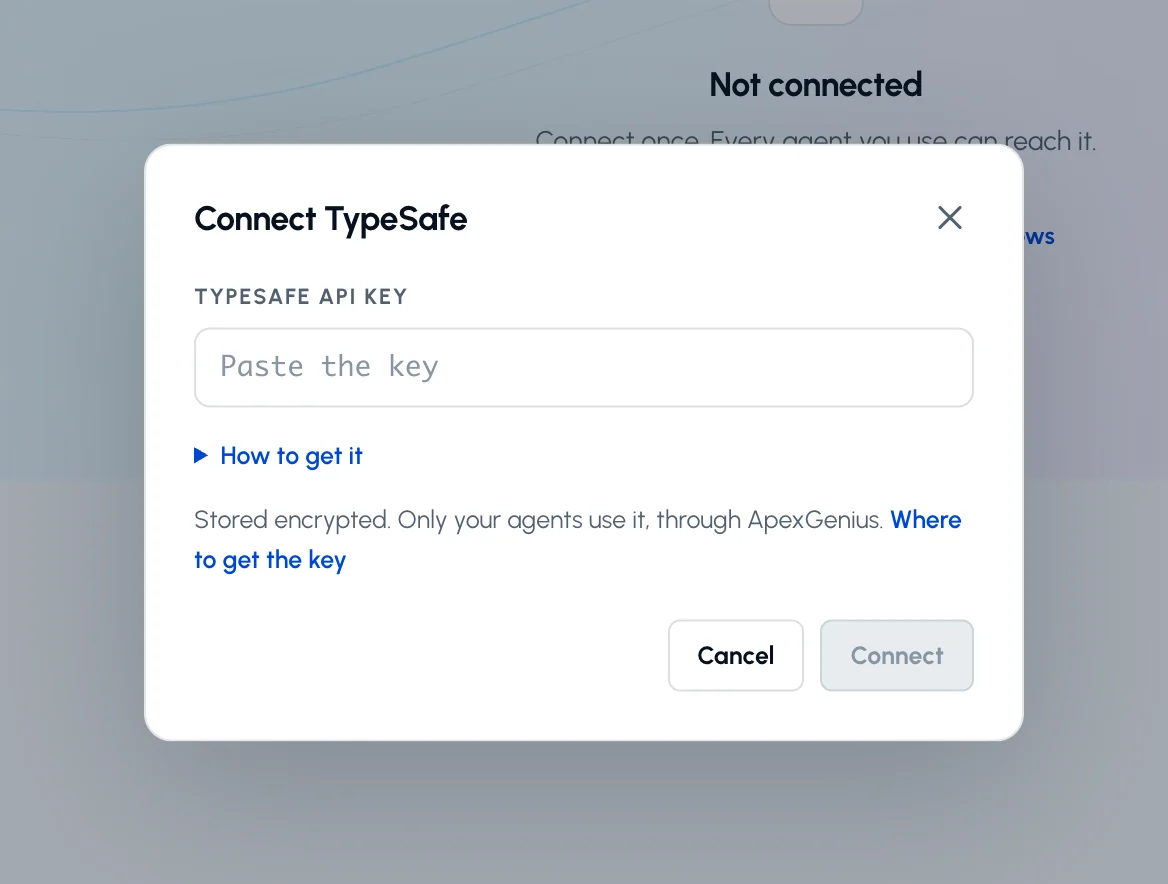
- Enter the API key. Paste the key from console.typesafe.ai. ApexGenius supplies the API address and checks the key against the model list.
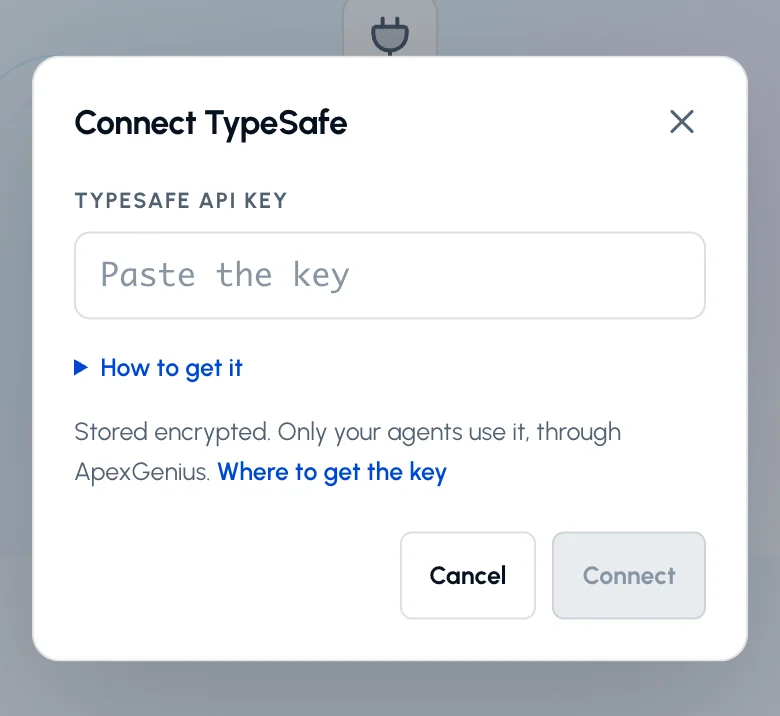
Paste the API key from console.typesafe.ai and choose Connect. ApexGenius checks it against the model list before saving.Open full-size image (opens in a new tab) - Check the saved connection. Save after validation succeeds. Review the Tools tab. Evaluations are reads that bill input tokens to your account.
2. Connect ApexGenius to Codex
- In the desktop app, open Settings, then MCP servers and Add server.
- Name the server ApexGenius, choose Streamable HTTP, and paste the MCP address above.
- Save, then select Restart. Choose Authenticate for ApexGenius and complete the browser sign-in.
- When ApexGenius asks what this AI client may use, choose Read only for the first test, or Custom to limit it to the tools you need.
- Start a new conversation and select ApexGenius from the available tools before asking for live data.
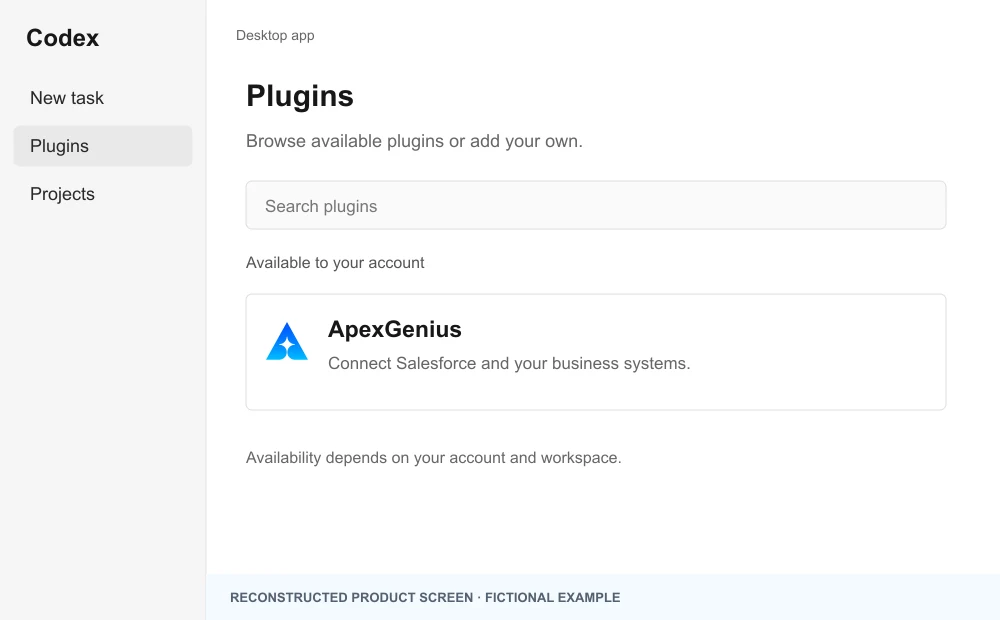
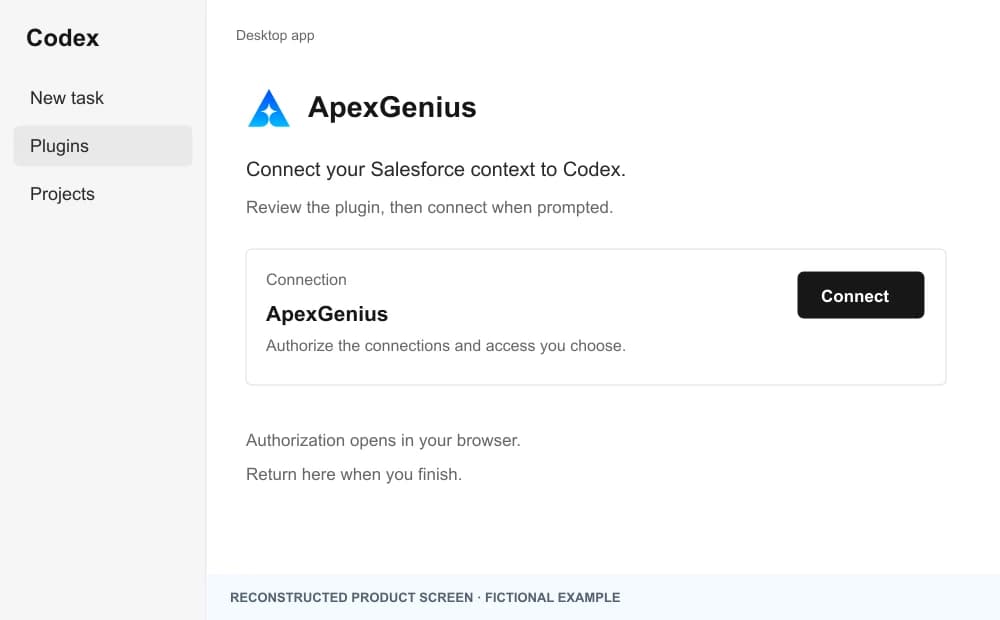
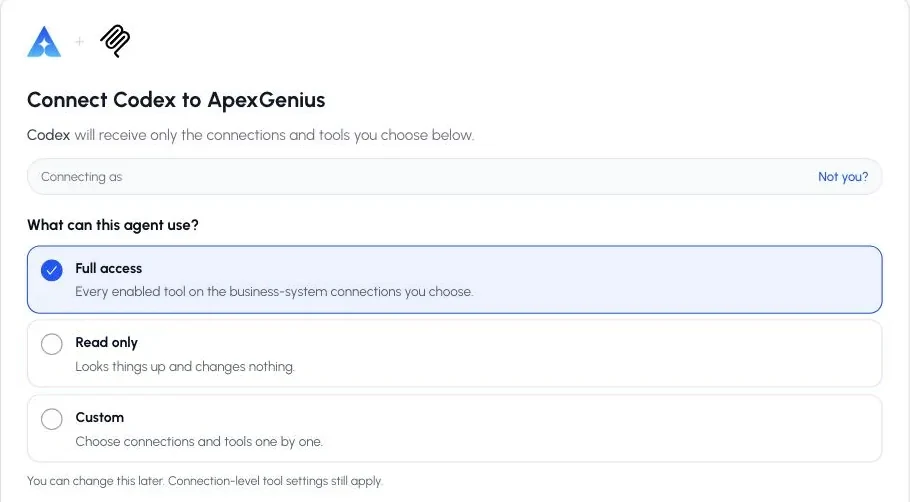
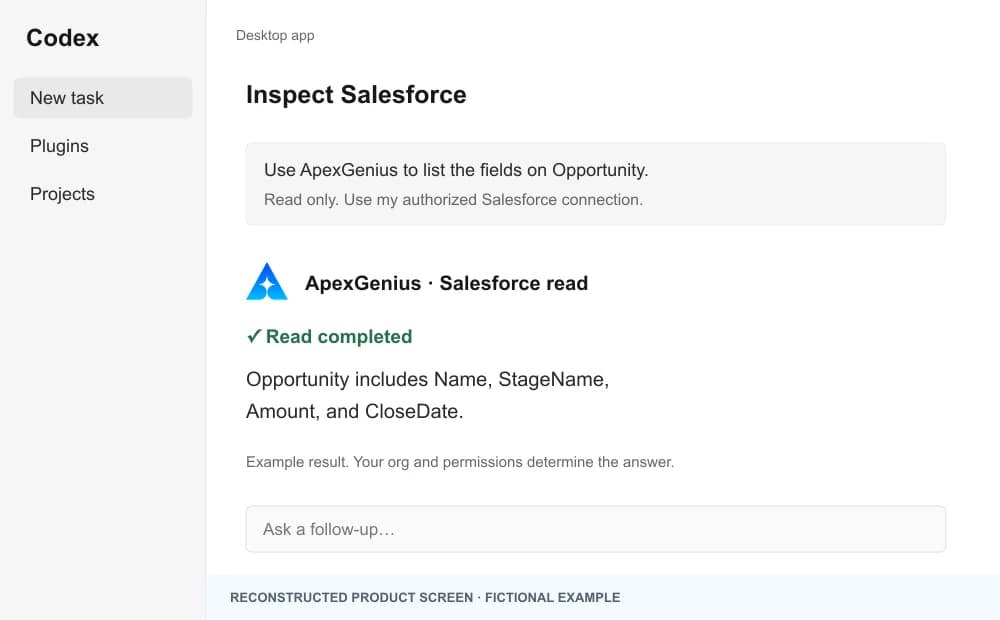
The walkthrough uses the original ChatGPT web plugin captures. After connecting, open Codex in the desktop app and start a new task with ApexGenius. A ChatGPT web connection does not verify Codex access.
A public ApexGenius plugin listing is not verified. Use a plugin shared with you or one you created, subject to your account and workspace policy.
Create a personal plugin
Where Developer mode is available, open ChatGPT Settings, then Security and login, and enable it. In Plugins, select the plus button, enter ApexGenius and a description, then add this URL under Connection. Create the connection, complete OAuth, and review the tools. Return to Codex in the desktop app and start a new task with the plugin enabled.
https://server.autom8.pro/mcpNo plugin available? Use desktop settings
- In the ChatGPT desktop app, open Settings, then MCP servers, then Add server.
- Name the server ApexGenius, choose Streamable HTTP, and paste the MCP address below.
- Save, select Restart, then Authenticate. Sign in to ApexGenius and authorize the intended connections and access.
- Start a new Codex task and ask one read-only question. Check the returned result and its matching successful read in Activity.
https://server.autom8.pro/mcpManual setup for developers
Codex CLI is optional. Run these commands, complete browser authorization, then start a new session. Do not paste bearer tokens or static authorization headers.
Register the remote MCP server
codex mcp add apexgenius --url https://server.autom8.pro/mcpAuthorize in your browser
codex mcp login apexgeniusInspect registered servers
codex mcp listThe desktop app, CLI, and IDE extension share MCP configuration on the same host. The IDE extension does not install plugins. ChatGPT web does not read local Codex configuration.
3. Verify one safe read
List the TypeSafe models available to my connection. Do not evaluate anything yet.
List the TypeSafe models available to my connection. Do not evaluate anything yet.Confirm jev-latest appears in the list. Listing models bills nothing; evaluations bill input tokens.
Full guide: the TypeSafe setup guide.
What it looks like in Codex
Illustration of a task, not a recorded customer result. Your answers come from the account and dates you choose.
apex_search_toolsTypeSafe models · Find the TypeSafe read routeCompleteapex_call_read_toollist_models · List the modelsCompleteIllustrative example: the key can use jev-latest, the default. Listing models bills nothing. Nothing was changed.
Read-only routeTry asking
List the TypeSafe models available to my connection. Do not evaluate anything yet.
Score these ten search terms for whether the searcher wants to hire a Salesforce consultant, and tell me which ones to add as negatives.
Is this inbound lead a fit for a Salesforce consulting engagement? Give me a yes or no with the probability.
Rate each of these three headlines from weak to strong for a paid search ad, and pick the best one.
What Codex can do in TypeSafe
2 operations: 2 read. Every operation looks things up and changes nothing, so Codex cannot change TypeSafe through ApexGenius.
Models
1 readlist_modelsreadList the Jev models your key can use. jev-latest is the default. Bills nothing.
Typed answers
1 readevaluatereadAsk yes/no, score or choice questions about a text or record and get typed answers with probabilities.
You choose the access. When you approve Codex, pick Full access, Read only, or Custom.
One connection covers one TypeSafe account and its API key.
Both operations are reads. Nothing at TypeSafe changes, so an AI agent set to Read only can use them.
Each evaluation bills input tokens to the connected TypeSafe account. Listing models bills nothing.
The key goes only to api.typesafe.ai, as a bearer token. ApexGenius encrypts it.
Questions about connecting Codex to TypeSafe
Updated October 26, 2026.
How do I connect TypeSafe?
Create an API key in the TypeSafe console at console.typesafe.ai and paste it into the TypeSafe connection in ApexGenius. ApexGenius checks the key against the model list before saving.
What does Jev return?
Typed answers, not text. A yes/no question returns a probability, a score returns a number with confidence, and a choice returns the pick with confidence and probabilities.
Does it cost anything?
Each evaluation bills input tokens to your TypeSafe account. Listing models bills nothing. ApexGenius does not add a TypeSafe charge.
Can my AI change anything at TypeSafe?
No. Both operations are reads. Evaluations compute and return answers, and nothing at TypeSafe changes.
What can I score with it?
Any text or record: search terms, ad copy, inbound leads or support tickets. Put the business definition inside the question so Jev knows who counts as a fit.
More connections like this one
Codex with other apps
 ChatGPT Ads
 Semrush
 Google Ads
 Google Analytics
 Blotato
 Bing Webmaster
 YouTube
All 48 apps Codex can use
 Google Search Console
 Supabase
 Mobbin
 Cal.com
 Slack
Slack Discord
 GitHub
 Stripe
 Context.dev
 Attio
Attio Notion
 Apify
Apify Linear
 Jira
Jira HQ Rental
 Google Forms
 Google Meet
 Google Tasks
 Gmail
Gmail Google Calendar
 Google Chat
 Google Docs
 Google Drive
 Google Sheets
 Google Slides
 Apollo
 Calendly
 ClickUp
 monday.com
 Atlassian Rovo
 Polymarket
 OP.GG
OP.GG Salesforce
 n8n
n8n Confluence
 ElevenLabs
 FreshBooks
 Trello
 GitLab
 HubSpot
 Claude
 Grok Bot
 Muse
MuseConnect TypeSafe to Codex today
Start free1,000 free credits. No card required. Disconnect any time.