


Connect Grok Bot to Attio
Connect Grok Bot to Attio in 3 steps: 1. Sign in to ApexGenius and connect Attio. 2. Add the ApexGenius plugin. 3. Start using Attio in Grok Bot.
7 days free · No card required
How to connect Attio to Grok Bot
- 1Sign in to ApexGenius and connect Attio
- 2Add the ApexGenius plugin to Grok Bot
- 3Start using Attio in Grok Bot
FirstConnect Attio to ApexGenius
ThenConnect ApexGenius to Grok Bot
Attioapp.attio.com/oidc/authorize1 of 3Connect Attio. Attio opens its own sign-in. Sign in and allow ApexGenius.
Then ask Grok Bot:
Use whoami to show which Attio user and workspace are connected, then list the lists in my workspace. Do not change anything.
Written setup, step by stepShow
Before you start
- An account with permission to use the Attio resources you intend to connect.
1. Connect Attio to ApexGenius
- Open Attio in Connections. Choose Connect, or Add connection when offered. Give the connection a name if prompted. If Gateway setup pending appears, contact ApexGenius support before continuing.
- Choose the account and review access. Sign in to Attio in the browser, choose the workspace, and allow access. Attio uses browser authorization; no API key is pasted into ApexGenius.
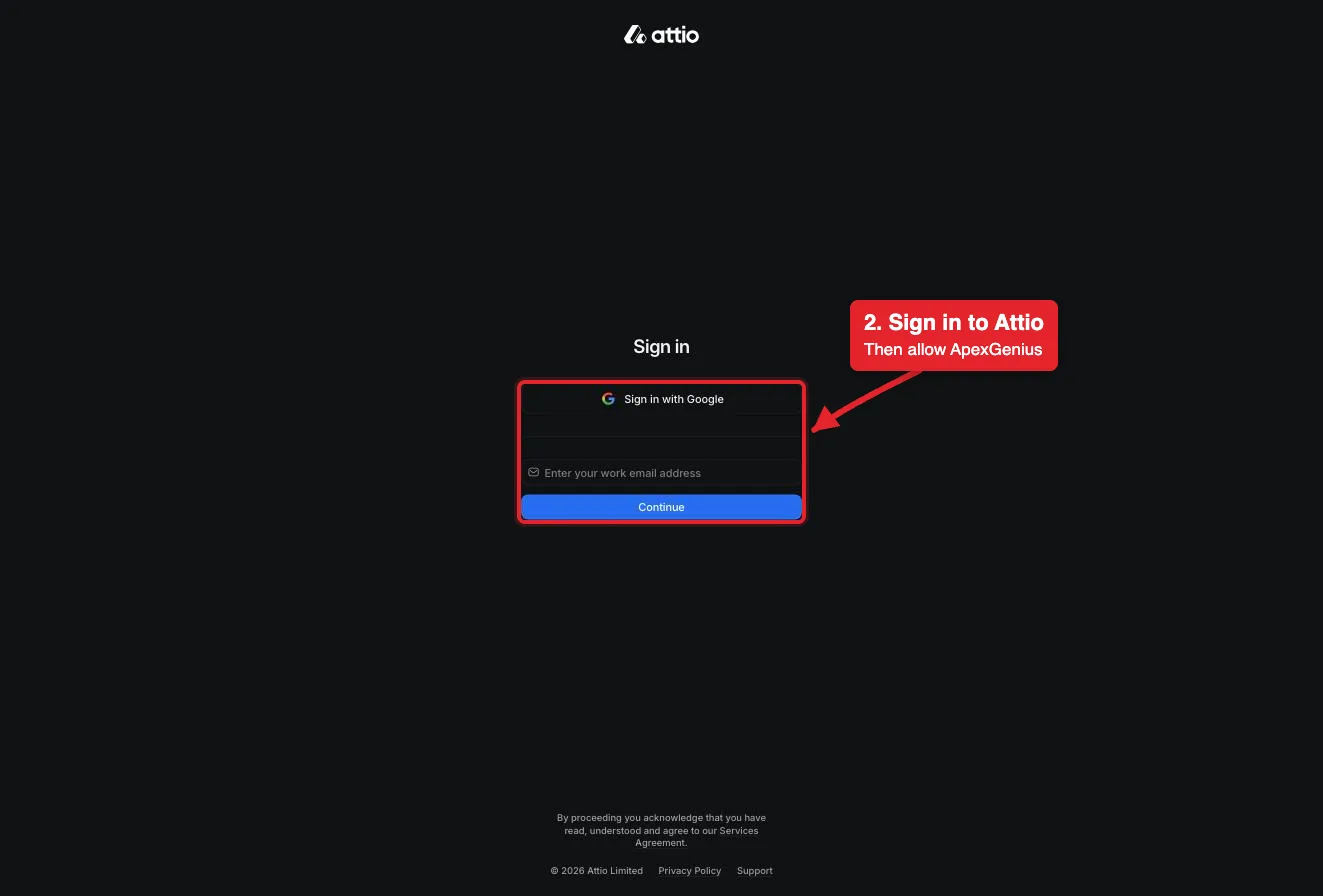
Connect opens Attio's sign-in. Sign in with Google or your work email, then allow ApexGenius.Open full-size image (opens in a new tab) - Review the connected account and resources. Confirm the connected Attio user and workspace. Open Tools to review the record, list, note and task actions. Your Attio permissions set what the connection can reach.
- Check the connection. Use Test connection or Check again and read the reported status. Add an AI agent from the AI agents page, choose Read only for the first test, and try the question below.
2. Connect ApexGenius to Grok Bot
Use this server address when adding the connection:
https://server.autom8.pro/mcp- Grok Bot signs in with your Cursor account. Connect ApexGenius from Settings, then Plugins, and authorize in the browser. If you are on a Cursor team, its MCP policy decides whether the server can be added.
- When ApexGenius asks what this AI client may use, choose Read only for the first test, or Custom to limit it to the tools you need.
- Start a new conversation and select ApexGenius from the available tools before asking for live data.
3. Verify one safe read
Use whoami to show which Attio user and workspace are connected, then list the lists in my workspace. Do not change anything.
Use whoami to show which Attio user and workspace are connected, then list the lists in my workspace. Do not change anything.Compare the returned account and resource with Attio. Check the connection status separately from the result of the first read.
What Grok Bot can do in Attio
41 operations. Read looks things up and changes nothing. Write changes Attio and runs only when that tool is enabled.
Read26 operations
Looks things up. Changes nothing.Records and objects
list-objectsList the objects in the workspace, such as companies, people and deals.search-recordsFull-text search for records by name, email, domain or other indexed fields.list-recordsList records in one object with filters and sorting.get-records-by-idsRead full details for specific records by ID.list-attribute-definitionsList the fields on an object, with their types and valid options.
Lists and pipelines
list-listsList the lists in the workspace, filtered by name or slug.list-list-attribute-definitionsList the entry fields on one list, with their types and options.list-records-in-listList the entries in one list with filters and sorting, including their records.
Notes
search-notes-by-metadataFind notes by record, author, meeting or creation time.semantic-search-notesFind notes by topic with AI search.get-note-bodyRead the full text of one note.
Tasks
list-tasksList tasks with filters, such as incomplete tasks due this week.
Comments
list-commentsList comments on a record or list entry, with replies.list-comment-repliesLoad more replies in one comment thread.
Meetings and calls
search-meetingsFind past and upcoming meetings by people, records or time.search-call-recordings-by-metadataFind call recordings by people, records, title or time.semantic-search-call-recordingsFind call recordings by topic with AI search.get-call-recordingRead one call recording with its transcript.
Emails
search-emails-by-metadataFind emails by people, domain or time.semantic-search-emailsFind emails by topic with AI search.get-email-contentRead the full body of one email.
Workspace
whoamiRead the connected user and their workspace access. Start here.list-workspace-membersList workspace members and their teams.list-workspace-teamsList the teams in the workspace.
Reports and SQL
run-basic-reportCount, sum or average records or list entries, grouped as you choose.query-particle-sqlRun a read-only SQL query on workspace data. Not on every Attio plan.
Write15 operations
Changes Attio. Runs only when enabled.Records and objects
create-recordCreate a person, company, deal or custom object record.upsert-recordCreate or update a record that matches on a field such as email or domain.update-recordUpdate an existing record by its ID.merge-recordsMerge two records of the same object into one. The primary record wins. Cannot be undone here.
Lists and pipelines
create-listCreate a list for records of one object type.add-record-to-listAdd a record to a list as a new entry.update-listChange a list's name, slug or permissions.update-list-entry-by-idUpdate a list entry when you know its entry ID.update-list-entry-by-record-idUpdate the one entry a record has in a list, found by the record ID.
Notes
create-noteCreate a note on a record.update-noteAppend or prepend text to a note, or change its title.
Tasks
create-taskCreate a task with a deadline, assignee and linked record.update-taskChange a task's deadline, status, assignee or linked record.
Comments
create-commentComment on a record or list entry, or reply in a thread.delete-commentDelete a comment you created, with every reply under it.
You choose what Grok Bot can use
When you approve Grok Bot, pick Full access, Read only, or Custom. Read only allows the Read operations and nothing else. Custom picks apps and tools one by one.
Limits in Attio
- · The connection acts as the Attio user who signed in. Attio permissions set what it can reach; ApexGenius does not add a record-level allowlist.
- · The read route checks Attio's live tool labels and rejects writes or unlabeled operations.
- · Enabled writes run immediately. Turn a tool off to block calls.
- · Merges and deleted comments cannot be undone here, and there is no delete for records, lists, notes or tasks. Remove those by hand in Attio.
- · query-particle-sql is not on every Attio plan, and Attio limits calls per workspace. Disconnecting stops future access; it does not undo a change that already ran.
What it looks like in Grok Bot
An illustrative read-only request and response. Your results come from the account and dates you choose.
apex_search_toolsAttio workspace · Find the Attio read routeCompleteapex_call_read_toolwhoami · Read the connected userCompleteIllustrative example: the connected user is Alex in the Northwind workspace. Compare this with the Attio account you authorized before reading records. Nothing was changed.
Read-only routeTry asking
“Who am I in Attio, and which workspace is connected? Do not change anything.”
“Find every contact at Acme in Attio and show their titles and emails.”
“Count open deals by stage in Attio. Do not change anything.”
“Log a note on the Acme company record that sums up today's call. Show me the note first.”
Questions people ask first
How do I connect Attio?
Open Attio in ApexGenius Connections, choose Connect, and sign in to Attio in the browser. ApexGenius registers itself with Attio. You never paste an API key.
What can my AI read in Attio?
People, companies, deals and custom records, lists and their entries, notes, tasks, comments, synced meetings, call recordings and emails, plus reports. It sees only what your Attio user can see.
Can my AI change records?
Yes. It can create and update records, list entries, notes and tasks, and merge records. Enabled writes run immediately. Turn a tool off to block calls.
Can it delete records?
No. Attio's MCP has no delete for records, lists, notes or tasks. The only delete is for a comment you created. Merges cannot be undone here.
Why did a SQL question fail?
query-particle-sql is not on every Attio plan. Ask the same question as a report instead; run-basic-report handles counts, sums and averages.
Connect Attio to Grok Bot today
Start free7 days free. No card required. Disconnect any time.