


Connect Grok Bot to Semrush
Connect Grok Bot to Semrush in 3 steps: 1. Sign in to ApexGenius and connect Semrush. 2. Add the ApexGenius plugin. 3. Start using Semrush in Grok Bot.
7 days free · No card required
How to connect Semrush to Grok Bot
- 1Sign in to ApexGenius and connect Semrush
- 2Add the ApexGenius plugin to Grok Bot
- 3Start using Semrush in Grok Bot
FirstConnect Semrush to ApexGenius
ThenConnect ApexGenius to Grok Bot
Semrushsemrush.com/accounts/profile/api-keys/1 of 3Connect Semrush. Create an API key in Semrush. You paste it into ApexGenius once.
Then ask Grok Bot:
Show a Semrush domain overview for my website in the US database. Run only that one report.
Written setup, step by stepShow
Before you start
- A Semrush plan with API access. SEO data needs Semrush One Starter or Pro+, or SEO Classic Pro or Guru. SEO Classic Business and Semrush One Advanced need an API units package. Traffic and market data need a Trends API plan.
- A Semrush API key from your Semrush profile under API Keys.
1. Connect Semrush to ApexGenius
- Copy an API key in Semrush. In Semrush, click your profile icon at the top right, then choose API Keys in the My profile sidebar. Copy an existing key, or choose + Create API key for a new v4 key. A new key is shown in full only once, so copy it right away.
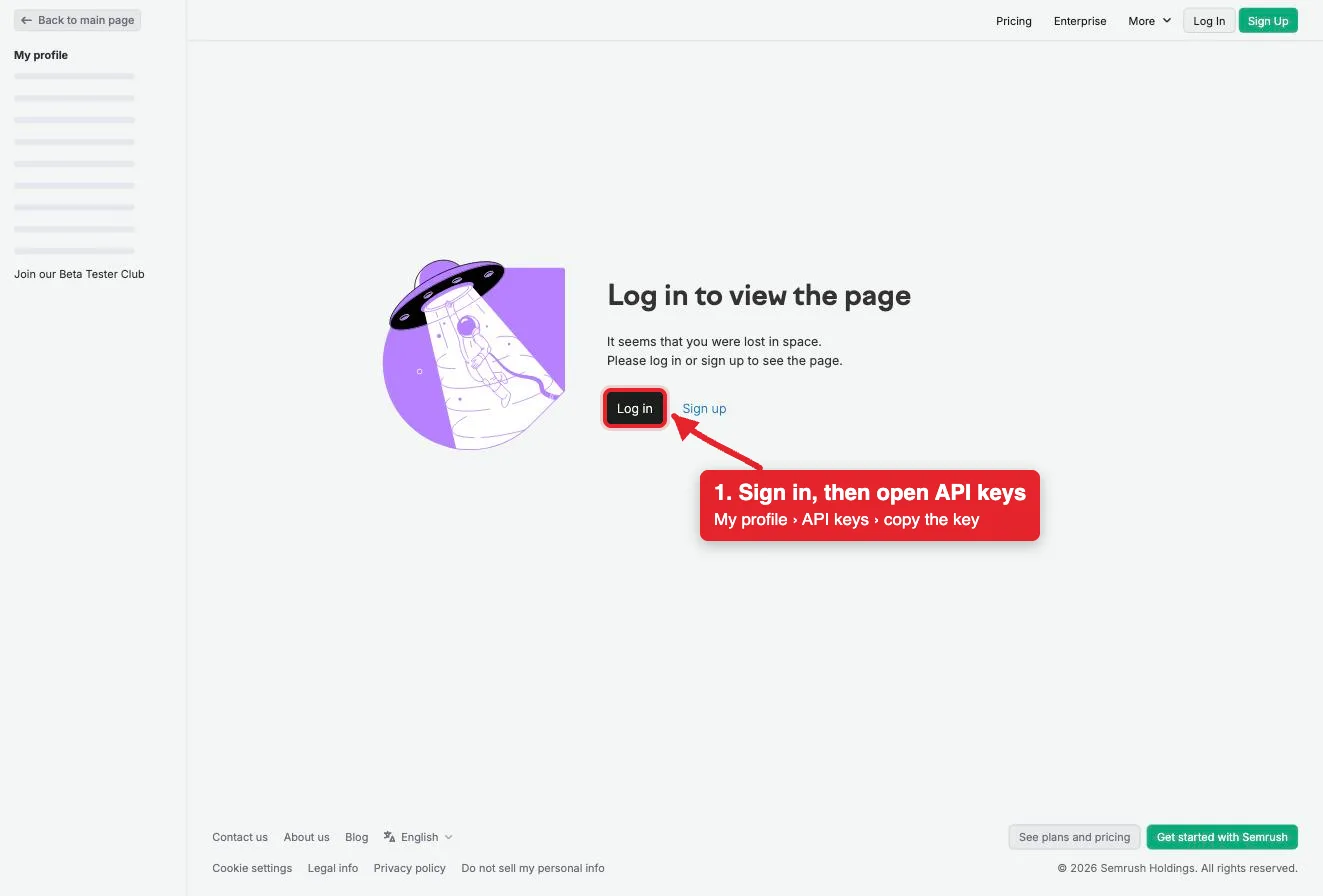
The API keys page asks you to log in first. After you sign in, copy a key from My profile, API Keys.Open full-size image (opens in a new tab) - Open Semrush in Connections. Sign in to ApexGenius, open Connections, choose Semrush, and select Connect.
- Enter the API key. Paste the key. ApexGenius supplies the mcp.semrush.com address, checks the key with Semrush's MCP, and stores it encrypted.
- Check the connection. Open Tools, then ask your AI the question below. Compare the answer with Semrush and check Tool Activity.
2. Connect ApexGenius to Grok Bot
Use this server address when adding the connection:
https://server.autom8.pro/mcp- Grok Bot signs in with your Cursor account. Connect ApexGenius from Settings, then Plugins, and authorize in the browser. If you are on a Cursor team, its MCP policy decides whether the server can be added.
- When ApexGenius asks what this AI client may use, choose Read only for the first test, or Custom to limit it to the tools you need.
- Start a new conversation and select ApexGenius from the available tools before asking for live data.
3. Verify one safe read
Show a Semrush domain overview for my website in the US database. Run only that one report.
Show a Semrush domain overview for my website in the US database. Run only that one report.Compare the numbers with Domain Overview in Semrush. Every report spends Semrush API units, including this one. Check your balance under My Profile > Subscription info > Summary.
What Grok Bot can do in Semrush
14 operations. Read looks things up and changes nothing. There are no write tools, so Grok Bot cannot change Semrush through ApexGenius.
Read14 operations
Looks things up. Changes nothing.Domains and traffic
domain_overviewList the domain overview reports you can run for a domain.traffic_overviewList the website traffic reports you can run.competitors_researchList the competitor reports you can run for a domain.
Keywords and ads
organic_researchList the organic search reports you can run for a domain.keyword_researchList the keyword research reports you can run.paid_search_researchList the paid search reports you can run.shopping_researchList the shopping research reports you can run.
Links and audience
backlinks_researchList the backlink reports you can run.audience_researchList the audience reports you can run.
Projects and tracking
projectsList the reports you can run on your Semrush projects.position_trackingList the Position Tracking reports you can run.site_auditList the Site Audit reports you can run.
Run a report
get_report_schemaRead the parameters one report takes before you run it.execute_reportRun one report and return its data. Spends Semrush API units.
You choose what Grok Bot can use
When you approve Grok Bot, pick Full access, Read only, or Custom. Read only allows the Read operations and nothing else. Custom picks apps and tools one by one.
Limits in Semrush
- · Semrush's MCP is read-only. It reads reports and project data. It cannot create projects, change settings or edit anything in Semrush, so there is nothing to undo.
- · Every report spends API units from your Semrush plan, the same as a direct API request. Semrush charges no extra fee for MCP. Ask for fewer rows to spend fewer units.
- · The key covers your Semrush account. One saved connection holds one key; connect again for a second account.
- · Disconnecting stops ApexGenius access. It does not restore units a report already spent. Manage or revoke the key itself in Semrush under API Keys.
What it looks like in Grok Bot
An illustrative read-only request and response. Your results come from the account and dates you choose.
apex_search_toolsSemrush domain reports · Find the Semrush report routeCompleteapex_call_read_tooldomain_overview · Find domain overview reportsCompleteapex_call_read_toolget_report_schema · Read the report parametersCompleteapex_call_read_toolexecute_report · Run the one reportCompleteIllustrative example: the overview returns the domain’s organic and paid search summary for the US database. One report ran and spent Semrush API units. Nothing was changed.
Read-only routeTry asking
“Show a Semrush domain overview for my website in the US database. Run only that one report.”
“Which domains compete with my website in organic search? Keep it to the top ten.”
“Find related keywords for "project management software" with search volume. Limit it to 20 rows.”
“List my Semrush projects and summarize the latest Position Tracking results for one of them.”
Questions people ask first
Which Semrush plans work?
SEO data needs Semrush One Starter, Semrush One Pro+, SEO Classic Pro or SEO Classic Guru. Those plans include 50,000 API units that refresh on your renewal date. SEO Classic Business and Semrush One Advanced work with an API units package. Traffic and market data need a Trends API plan, Basic or Premium.
Does it use my Semrush API units?
Yes. Each report uses the same API units as a direct Semrush API request, and Semrush charges no extra MCP fee. Check your balance in Semrush under My Profile > Subscription info > Summary.
Where do I find my Semrush API key?
In Semrush, click your profile icon at the top right and choose API Keys in the My profile sidebar. Copy a key, or choose + Create API key for a new v4 key. A new key is shown in full only once.
Can my AI change anything in Semrush?
No. Semrush's MCP only reads. It can read your projects but cannot create projects, change settings or edit data, so there is nothing to undo.
Why an API key instead of signing in to Semrush?
ApexGenius connects with the API key method Semrush documents for AI agents. The key is sent only to mcp.semrush.com and stored encrypted. You manage the key itself in Semrush under API Keys.
Connect Semrush to Grok Bot today
Start free7 days free. No card required. Disconnect any time.