


Connect Claude Code to Blotato
Connect Claude Code to Blotato: 1. Sign in to ApexGenius and connect Blotato. 2. Add the ApexGenius MCP server. 3. Start using Blotato in Claude Code.
1,000 free credits · No card required
How to connect Blotato to Claude Code
- 1Sign in to ApexGenius and connect Blotato
- 2Add the ApexGenius MCP server to Claude Code
- 3Start using Blotato in Claude Code
FirstConnect Blotato to ApexGenius
ThenConnect ApexGenius to Claude Code
Blotatomy.blotato.com/settings/api1 of 3Connect Blotato. Create an API key in Blotato. You paste it into ApexGenius once.
Then ask Claude Code:
List the social accounts connected to my Blotato account. Do not post, schedule, message, or spend credits.
Written setup, step by stepShow
Before you start
- A paid Blotato subscription with API access. Blotato says creating an API key ends its free trial and starts the paid plan.
- The social accounts you want to use already connected in Blotato.
1. Connect Blotato to ApexGenius
- Copy your API key in Blotato. In Blotato open Settings, then API, and choose Copy API Key. Keep the key private.
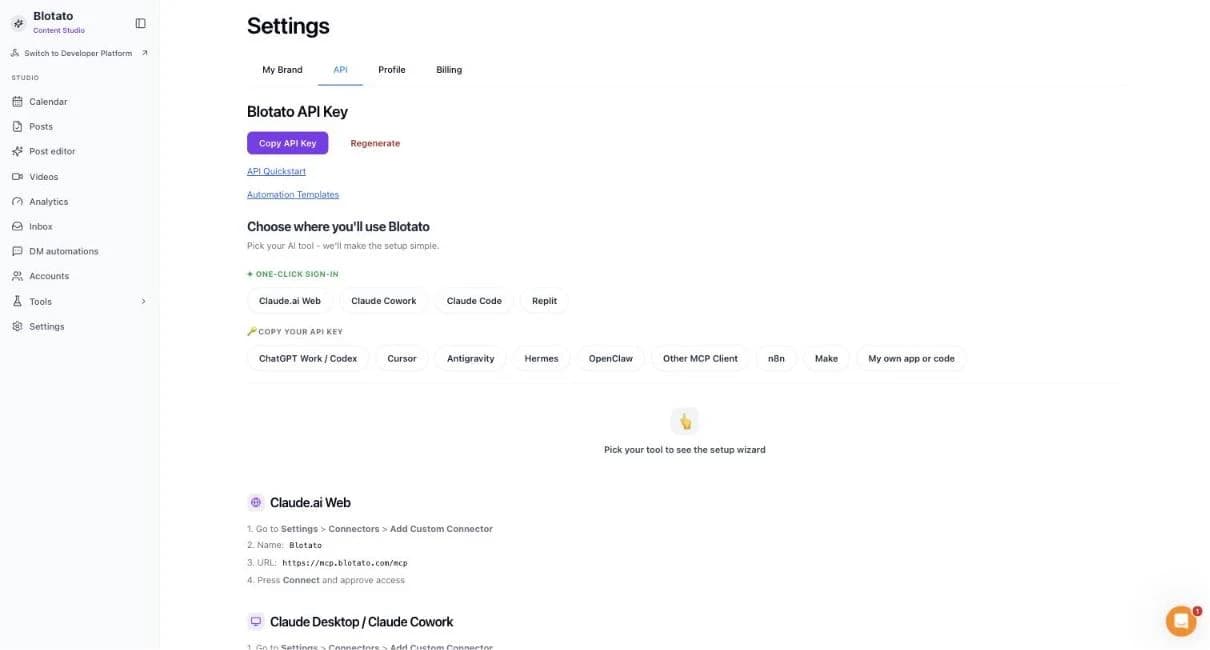
Settings, then API. Copy API Key puts your key on the clipboard without showing it on screen.Open full-size image (opens in a new tab) - Open Blotato in Connections. Choose Connect or Add connection.
- Enter the API key. Paste the key from Blotato. ApexGenius supplies the server address and checks the key against your Blotato account.
- Check the saved connection. Save after validation succeeds. Review the Tools tab. Publishing, messages, automations, deletes and credit actions run when called.
2. Connect ApexGenius to Claude Code
Use this server address when adding the connection:
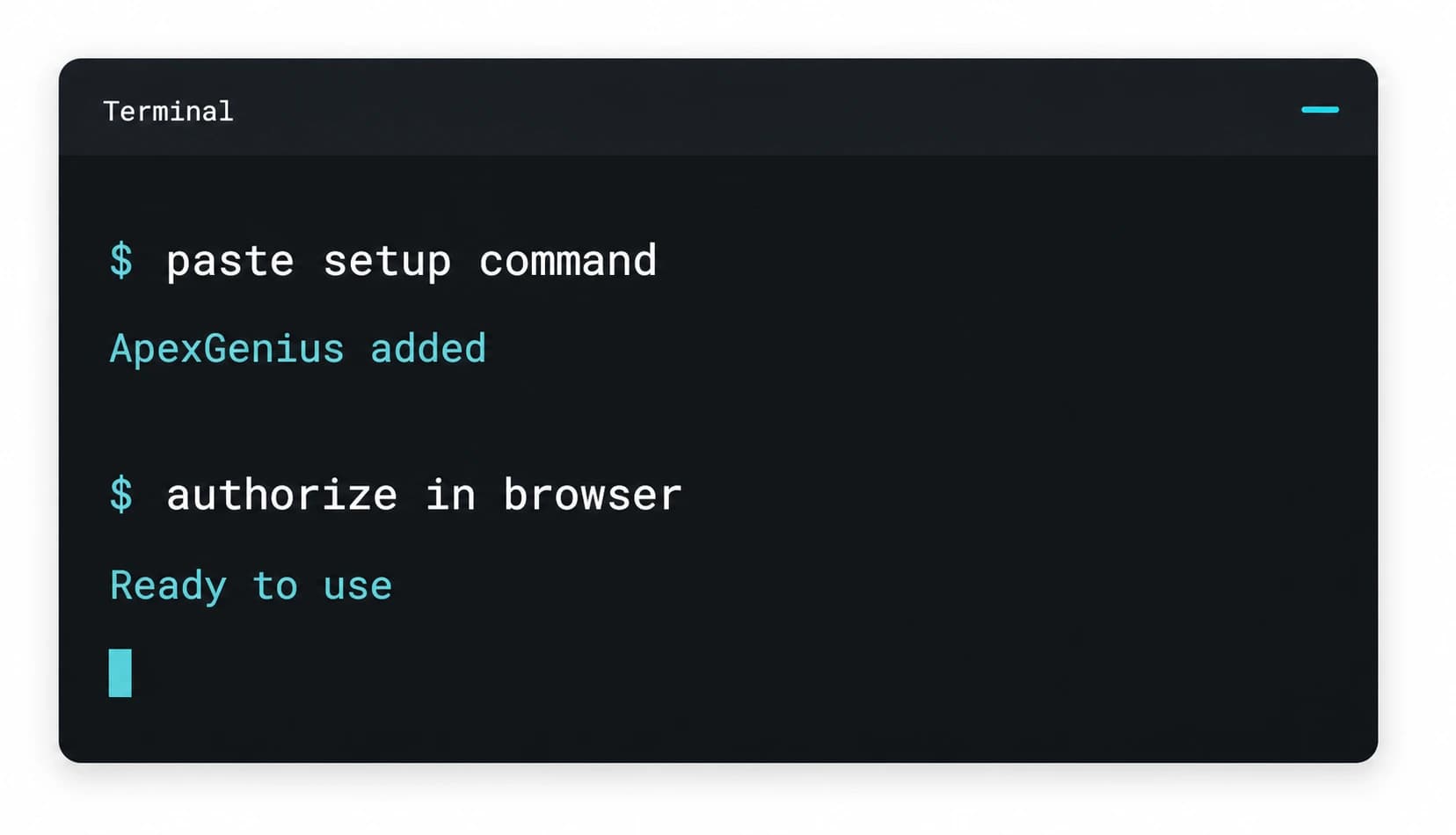
https://server.autom8.pro/mcp- Run claude mcp add --transport http apexgenius followed by the MCP URL above.
- Open /mcp and choose ApexGenius.
- Approve ApexGenius in your browser.
- When ApexGenius asks what this AI client may use, choose Read only for the first test, or Custom to limit it to the tools you need.
- Start a new conversation and select ApexGenius from the available tools before asking for live data.
3. Verify one safe read
List the social accounts connected to my Blotato account. Do not post, schedule, message, or spend credits.
List the social accounts connected to my Blotato account. Do not post, schedule, message, or spend credits.Compare the accounts with the Accounts page in Blotato. Listing accounts publishes nothing and spends no credits.
What Claude Code can do in Blotato
35 operations. Read looks things up and changes nothing. Write changes Blotato and runs only when that tool is enabled.
Read23 operations
Looks things up. Changes nothing.Account
blotato_get_userRead your Blotato profile and plan.blotato_get_creditsRead your remaining Blotato credits.blotato_list_accountsList the social accounts connected to Blotato.blotato_list_pinterest_boardsList the boards on a connected Pinterest account.
Posts
blotato_get_post_statusCheck whether a post published.blotato_list_postsList your scheduled, published and failed posts.blotato_list_schedulesList your scheduled posts.blotato_get_scheduleRead one scheduled post.
Results
blotato_get_post_analyticsRead a published post’s results over time.blotato_list_top_postsList your best posts by the measure you choose.
Content and visuals
blotato_get_source_statusCheck a source that is still being read.blotato_list_visual_templatesList the visual templates you can use.blotato_get_visual_statusCheck a visual that is still being made.
Comments and messages
blotato_list_commentsList comments on your posts.blotato_get_commentRead one comment.blotato_list_conversationsList your direct message conversations.blotato_get_conversationRead one conversation.blotato_list_messagesList direct messages.blotato_get_messageRead one direct message.
DM automations
blotato_list_automationsList your DM automations.blotato_get_automation_analyticsRead a DM automation’s results.blotato_list_automation_runsList a DM automation’s runs.blotato_list_automation_logsRead a DM automation’s logs.
Write12 operations
Changes Blotato. Runs only when enabled.Posts
blotato_create_postPublish a post to a connected account, or schedule it. Published posts are public.blotato_update_scheduleChange a scheduled post’s content or time.blotato_delete_scheduleDelete a scheduled post. It cannot be undone.
Content and visuals
blotato_create_sourcePull and summarize content from a link, a YouTube video or text.blotato_create_visualMake an image, infographic, carousel, slideshow or video from a template. Uses credits.blotato_create_presigned_upload_urlGet a link to upload a file of your own.
Comments and messages
blotato_post_commentPost a comment or reply on Instagram or Facebook.blotato_send_messageSend a direct message on Facebook or Instagram.
DM automations
blotato_create_automationCreate a DM automation that messages people when it is triggered.blotato_update_automationChange a DM automation.blotato_update_automation_triggerTurn one trigger on or off. It takes effect right away.blotato_delete_automationArchive a DM automation so it stops sending.
You choose what Claude Code can use
When you approve Claude Code, pick Full access, Read only, or Custom. Read only allows the Read operations and nothing else. Custom picks apps and tools one by one.
Limits in Blotato
- · The API key decides which Blotato account, social accounts and credits can be used.
- · Published posts, comments and direct messages are public or reach real people right away. Making visuals uses Blotato credits.
- · Enabled writes run immediately. Turn a tool off to block calls.
- · Disconnecting stops future access. It does not take down a published post or a sent message.
What it looks like in Claude Code
An illustrative read-only request and response. Your results come from the account and dates you choose.
apex_search_toolsBlotato accounts · Find Blotato toolsCompleteapex_call_write_toolblotato_list_accounts · List connected accountsCompleteIllustrative example: four accounts are connected, LinkedIn, Instagram, X and a Facebook page. Nothing was posted or changed.
Read-only routeTry asking
“List my connected social accounts in Blotato. Do not post anything.”
“Which of my posts did best last month?”
“What is scheduled to go out this week?”
“Schedule this post for LinkedIn on Tuesday at 9. Show me the post first.”
More connections like this one
One ApexGenius account covers every pair below. Connect an app once and each agent you allow can use it.
Claude Code with other apps
 MobbinConnect Claude Code to Mobbin
 Cal.comConnect Claude Code to Cal.com
 SlackConnect Claude Code to Slack
 DiscordConnect Claude Code to Discord
 ChatGPT AdsConnect Claude Code to ChatGPT Ads
 GitHubConnect Claude Code to GitHub
 StripeConnect Claude Code to Stripe
 Context.devConnect Claude Code to Context.dev
 AttioConnect Claude Code to Attio
 SemrushConnect Claude Code to Semrush
 NotionConnect Claude Code to Notion
 ApifyConnect Claude Code to Apify
 LinearConnect Claude Code to Linear
 JiraConnect Claude Code to Jira
 HQ RentalConnect Claude Code to HQ Rental
 Google AdsConnect Claude Code to Google Ads
 Google AnalyticsConnect Claude Code to Google Analytics
 Google FormsConnect Claude Code to Google Forms
 Google MeetConnect Claude Code to Google Meet
 Google TasksConnect Claude Code to Google Tasks
 GmailConnect Claude Code to Gmail
 Google CalendarConnect Claude Code to Google Calendar
 Google ChatConnect Claude Code to Google Chat
 Google DocsConnect Claude Code to Google Docs
 Google DriveConnect Claude Code to Google Drive
 Google SheetsConnect Claude Code to Google Sheets
 Google SlidesConnect Claude Code to Google Slides
 ApolloConnect Claude Code to Apollo
 Bing WebmasterConnect Claude Code to Bing Webmaster
 CalendlyConnect Claude Code to Calendly
 ClickUpConnect Claude Code to ClickUp
 YouTubeConnect Claude Code to YouTube
- YouTube AnalyticsConnect Claude Code to YouTube Analytics
 SalesforceConnect Claude Code to Salesforce
 n8nConnect Claude Code to n8n
 ConfluenceConnect Claude Code to Confluence
 Google Search ConsoleConnect Claude Code to Google Search Console



Questions people ask first
How do I connect Blotato?
Copy the API key from your Blotato account, open Blotato in ApexGenius Connections, and paste it in.
Can my AI publish posts?
Yes. It can publish now or schedule for later, and published posts are public. Enabled writes run immediately. Turn a tool off to block calls.
Can my AI reply to comments and messages?
Yes, on Instagram and Facebook. Replies and messages reach people right away.
Does it use Blotato credits?
Making visuals uses Blotato credits. Ask your AI to check your credits first.
Will this list of tools change?
Blotato publishes its MCP tools, and ApexGenius reads Blotato’s live list on every search. This page shows the list as of its review date.
Connect Blotato to Claude Code today
Start free1,000 free credits. No card required. Disconnect any time.