


Connect Claude Code to ElevenLabs
Connect Claude Code to ElevenLabs: 1. Sign in to ApexGenius and connect ElevenLabs. 2. Add the ApexGenius MCP server. 3. Start using ElevenLabs in Claude Code.
1,000 free credits · No card required
How to connect ElevenLabs to Claude Code
- 1Sign in to ApexGenius and connect ElevenLabs
- 2Add the ApexGenius MCP server to Claude Code
- 3Start using ElevenLabs in Claude Code
- 1
Connect ElevenLabs to ApexGenius
Open ElevenLabs in ApexGenius
Open ElevenLabs in Connections and choose Connect.
- 2
Connect ApexGenius to Claude Code
Copy the MCP address
On Start, pick API key, open Manual setup, and copy the MCP address.
- 3
Approve access
ApexGenius opens its approval page. Review the access, then approve.
Add the ApexGenius MCP server to Claude Code
Claude Code stores MCP servers in ~/.claude.json. With --scope user the server is available in every project. Without it, only in the project where you ran the command.
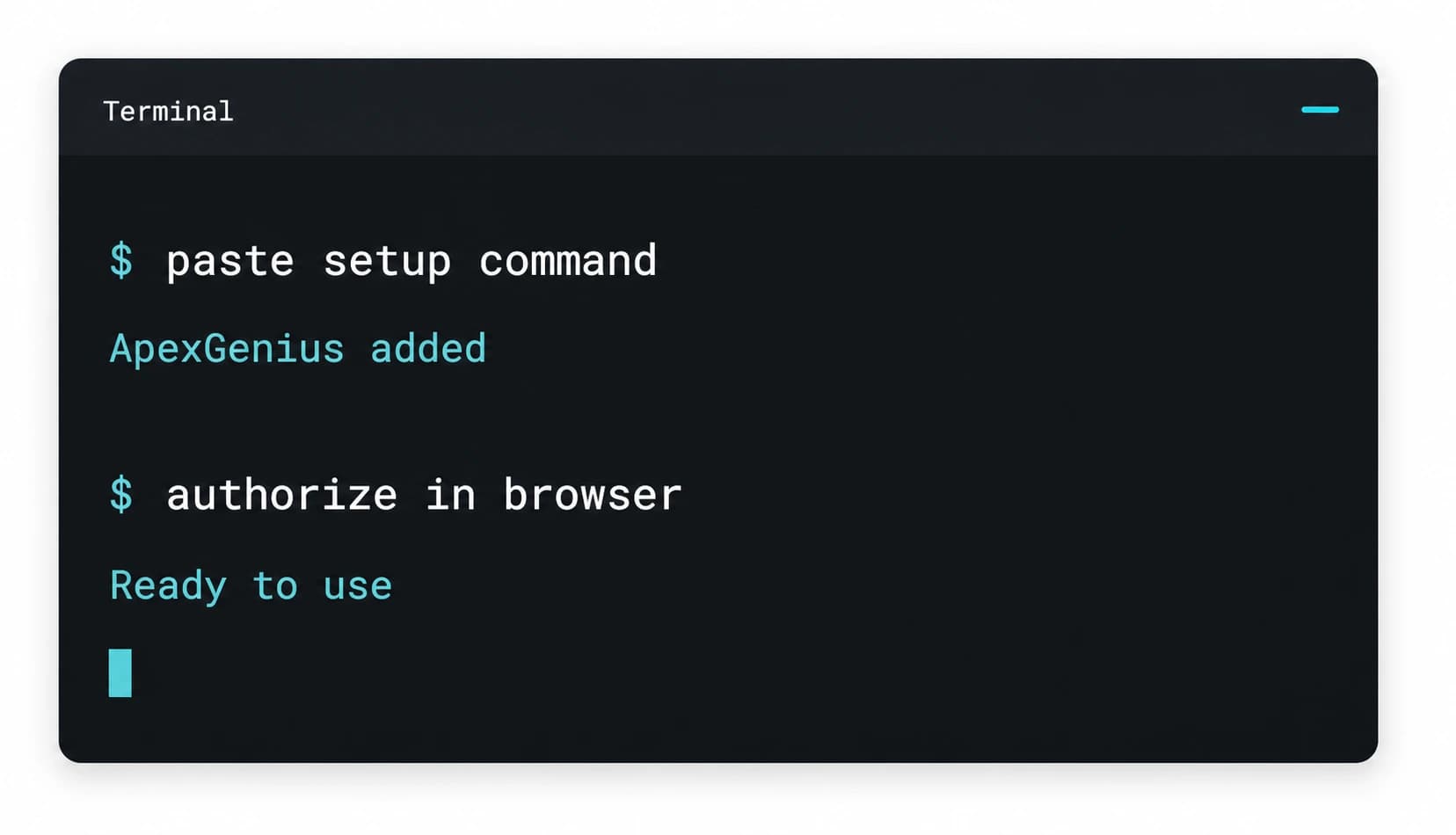
- Run the command. Claude Code prints an Added line.
- Start Claude Code, run
/mcp, choose apexgenius and follow the sign-in in your browser. From a shell,claude mcp login apexgeniusdoes the same. - Approve access on the ApexGenius page.
claude mcp add --transport http --scope user apexgenius https://server.autom8.pro/mcpCheck it. Run claude mcp list. Each server shows a status, such as Connected or Needs authentication. claude mcp get apexgenius shows the detail.
Steps follow Claude Code documentation, Connect Claude Code to tools via MCP (opens in a new tab), read November 12, 2026.
Then ask Claude Code
Use agents_list to show which ElevenLabs agents are in this workspace, then agents_get on one of them. Do not change anything.
Written setup, step by stepShow
Before you start
- An account with permission to use the ElevenLabs resources you intend to connect.
1. Connect ElevenLabs to ApexGenius
- Open ElevenLabs in Connections. Choose Connect, or Add connection when offered. Give the connection a name if prompted. If Gateway setup pending appears, contact ApexGenius support before continuing.
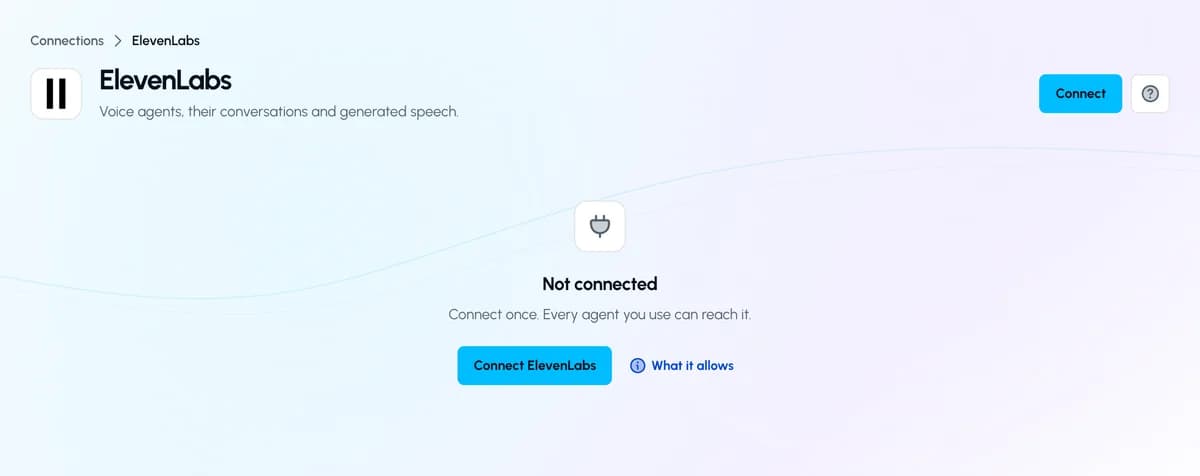
Open ElevenLabs in Connections and choose Connect. ElevenLabs then asks you to sign in and approve access.Open full-size image (opens in a new tab) - Choose the account and review access. Sign in to ElevenLabs in the browser, choose the workspace, review the permissions, and allow access. ElevenLabs uses browser authorization; no API key is pasted into ApexGenius.
- Review the connected account and resources. Confirm the workspace you chose. Open Tools to review the agent, conversation, knowledge base and generation actions, and turn off any your AI should not use. Generation spends ElevenLabs credits.
- Check the connection. Use Test connection or Check again and read the reported status. Add an AI agent from the AI agents page, choose Read only for the first test, and try the question below.
2. Connect ApexGenius to Claude Code
Use this server address when adding the connection:
https://server.autom8.pro/mcpThe steps are above, under Add the ApexGenius MCP server to Claude Code. These notes apply to Claude Code only.
- Over SSH or without a browser.
claude mcp login apexgeniusprints the authorization URL when it finds no local browser. Open it on your own machine, then paste the full redirect URL from the address bar back at the prompt. Add--no-browserto force that. - Headless runs. A
claude -prun has no/mcppanel and cannot run the sign-in. Sign in once from an interactive session, or withclaude mcp login, first. - Signing out. Clear authentication in the
/mcpmenu, orclaude mcp logout apexgenius, removes the stored sign-in. - Access. When ApexGenius asks what Claude Code may use, choose Read only for the first test, or Custom to limit it to the tools you need.
3. Try your first question
Use agents_list to show which ElevenLabs agents are in this workspace, then agents_get on one of them. Do not change anything.
Use agents_list to show which ElevenLabs agents are in this workspace, then agents_get on one of them. Do not change anything.Check that the answer matches what you see in ElevenLabs.
Full guide: the ElevenLabs setup guide.
What it looks like in Claude Code
apex_search_toolsElevenLabs agents · Find the ElevenLabs read routeCompleteapex_call_read_toolagents_list · List the agentsCompleteapex_call_read_toolagents_get · Read one agent's setupCompleteThree agents, Support, Booking and Sales Intake, each with a voice and a first message. Support still uses the default first message.
Read-only routeWhat to ask Claude Code about ElevenLabs
- List my agents
Which ElevenLabs agents are in my workspace, and which voice does each use? Do not change anything.
Runs
agents_list(read), thenagents_get(read). - Review recent calls
Show my Support agent's last five conversations and what callers asked about. Do not change anything.
Runs
agents_list_conversations(read), thenagents_get_conversation(read). - Pick a voice
Which voices could I use for a calm narration? List a few. Do not change anything.
Runs
creative_list_voices(read), thencreative_get_model_guide(read).
These 3 questions use 6 of ElevenLabs’s 40 operations. The full list is below.
- List my ElevenLabs agents with the voice and first message of each. Do not change anything. (read)
- Show my Support agent's last ten conversations and tell me the most common question. Do not change anything. (read)
- Which voices fit a calm narrator? List four. Do not generate any audio. (read)
- Duplicate my Support agent and set the copy's first message to Spanish. Show me the change first. (write)
What Claude Code can do in ElevenLabs
40 operations: 18 read, 22 write. Read looks things up and changes nothing. Writes change ElevenLabs and run only when you turn them on.
Agents
4 read · 4 writeagents_listreadList the agents in the workspace.
agents_getreadRead one agent's full configuration.
agents_get_linkreadGet the shareable test link for an agent.
agents_get_widgetreadRead an agent's widget configuration.
agents_createwriteCreate an agent from a name, prompt, first message, voice and language.
agents_updatewriteChange agent settings. By default it publishes to the live agent (main) right away.
agents_duplicatewriteCopy an existing agent.
agents_deletewriteDelete an agent.
Conversations
3 readagents_list_conversationsreadList an agent's recent conversations.
agents_get_conversationreadRead one conversation with its full transcript.
agents_search_conversation_messagesreadSearch conversation messages for a phrase.
Knowledge base
3 read · 4 writeagents_search_knowledge_basereadSearch the knowledge base documents.
agents_query_knowledge_base_ragreadTest what the knowledge base returns for a question.
agents_get_kb_dependentsreadSee which agents use a knowledge base document.
agents_create_kb_urlwriteAdd a web page as a document, with optional auto-sync.
agents_create_kb_textwriteAdd pasted text as a document.
agents_create_kb_folderwriteCreate a folder for documents.
agents_bulk_delete_knowledge_basewriteDelete several knowledge base documents at once.
Tools and phone numbers
2 writeagents_delete_toolwriteDelete a tool from the workspace.
agents_delete_phone_numberwriteRemove a phone number.
Tests
2 read · 1 writeagents_create_testwriteCreate a response, tool-call or simulation test.
agents_list_test_runsreadList the runs of a test.
agents_get_test_runreadRead the result of one test run.
Branches and deployment
1 read · 3 writeagents_create_branchwriteCreate a branch of an agent to stage changes.
agents_merge_branch_previewreadPreview what a merge would change.
agents_create_deploymentwriteSet how much live traffic goes to each version.
agents_merge_branchwriteMerge a branch into its parent.
Voices and models
3 readcreative_list_voicesreadList the voices you can use.
creative_get_flow_node_typesreadList what the workspace can generate.
creative_get_model_guidereadRead how to prompt a specific model.
Generate speech, images and video
5 writecreative_generate_speechwriteTurn text into speech with a chosen voice.
creative_generate_imagewriteGenerate images from a prompt.
creative_generate_videowriteGenerate video from a prompt.
creative_edit_imagewriteEdit an image from an earlier generation or upload.
creative_transcribe_audiowriteTurn an audio file into text.
Flows and reference files
2 read · 3 writecreative_create_flowwriteCreate a flow that groups related generations.
creative_get_flowreadRead a flow and its nodes.
creative_get_flow_run_statusreadCheck whether a generation has finished.
creative_attach_reference_filewriteAttach a file from a link to a flow.
creative_upload_flow_referencewriteAdd an empty upload slot for a file from your computer.
You choose the access. When you approve Claude Code, pick Full access, Read only, or Custom.
The connection acts as the ElevenLabs user who signed in, for the one workspace chosen at sign-in. Your ElevenLabs permissions set what it can do.
The read route runs only operations that ElevenLabs' live catalog labels read-only, and rejects writes and unlabeled operations.
Writes run immediately. Blocked hides a tool from agents.
creative_generate_speech, creative_generate_image, creative_generate_video, creative_edit_image and creative_transcribe_audio spend credits from your ElevenLabs plan. A second call starts a second charge, so retries cost credits.
agents_update publishes to the live agent by default (the main branch), so live callers can see the change at once. Ask the AI to name a branch for changes that need review. agents_merge_branch publishes a branch into its parent.
agents_delete, agents_delete_tool, agents_delete_phone_number and agents_bulk_delete_knowledge_base remove data and cannot be undone here.
Only US-region ElevenLabs workspaces (api.us.elevenlabs.io) are supported. Workspaces in the EU, India or Singapore residency regions use other server URLs and are not.
Questions about connecting Claude Code to ElevenLabs
Updated November 12, 2026.
How do I connect Claude Code to ElevenLabs?
Sign in to ApexGenius and connect ElevenLabs. In Claude Code, run claude mcp add --transport http --scope user apexgenius https://server.autom8.pro/mcp, then run /mcp and sign in. Then ask Claude Code: “Use agents_list to show which ElevenLabs agents are in this workspace, then agents_get on one of them. Do not change anything.” Start with a read, so nothing changes.
How do I check that Claude Code can use ElevenLabs?
Run claude mcp list in your terminal. apexgenius should show Connected. If it shows Needs authentication, run /mcp inside Claude Code, or claude mcp login apexgenius in your shell, and finish the browser sign-in. Then ask: “Use agents_list to show which ElevenLabs agents are in this workspace, then agents_get on one of them. Do not change anything.”
What can my AI read in ElevenLabs?
Your agents and their settings, conversations and transcripts, knowledge base documents, tests and test runs, branches, voices, and the status of generations. It sees only the workspace you chose and only what your ElevenLabs permissions allow.
Can my AI change or delete things?
Yes. It can create, update and duplicate agents, add knowledge base documents, create tests and branches, and merge branches. agents_update publishes to the live agent by default. It can also delete agents, tools, phone numbers and knowledge base documents. Writes run immediately, and deletes cannot be undone here. Blocked hides a tool from agents.
Does it spend ElevenLabs credits?
Generating speech, images and video, editing images and transcribing audio use credits from your ElevenLabs plan. Reading agents, voices and conversations is not documented as a charge. Turn the generation tools off if you do not want your AI to make them.
Which ElevenLabs workspaces work?
Only US-region workspaces, which use api.us.elevenlabs.io. Workspaces in the EU, India or Singapore residency regions are not supported. If a call fails, check your ElevenLabs permissions first, because the AI can only do what your account can. Reconnect from Connections if the sign-in has expired.
More connections like this one
Claude Code with other apps
 Supabase
 Cal.com
 GitHub
 Stripe
 Linear
 Jira
 HQ Rental
 Google Forms
All 50 apps Claude Code can use
 Google Tasks
 Google Calendar
 Google Sheets
 Calendly
 ClickUp
 monday.com
 FreshBooks
 Trello
 GitLab
 Outlook Calendar
 Mobbin
 Slack
 Discord
 ChatGPT Ads
 Context.dev
 Attio
 Semrush
 Notion
 Apify
 Google Ads
 Google Analytics
 Google Meet
 Gmail
 Google Chat
 Google Docs
 Google Drive
 Google Slides
 Apollo
 Blotato
 Bing Webmaster
 Atlassian Rovo
 Polymarket
 OP.GG
 YouTube
- YouTube Analytics
 Salesforce
 n8n
 Confluence
 Google Search Console
 TypeSafe
 HubSpot
- Microsoft Outlook
Other agents with ElevenLabs
 Claude
 Grok Bot
 Muse
Connect ElevenLabs to Claude Code today
Start free1,000 free credits. No card required. Disconnect any time.