Agents
agents_listList the agents in the workspace.

ElevenLabs MCP connector
ElevenLabs OAuth · Available
Connect Claude, ChatGPT and other AI agents to ElevenLabs over MCP: manage voice agents and generate speech, images and video with 40 operations in ElevenLabs.
Connect your ElevenLabs workspace once in ApexGenius, then review agents and conversations, update agent settings, and generate speech, images and video from compatible AI agents. The ElevenLabs skill goes with the connection. Each AI agent needs its own ApexGenius setup.
1,000 free credits · No card required
ElevenLabs
App connector
Bring your ElevenLabs voice agents and the ElevenLabs skill to compatible AI agents. Review calls, then change agents or generate audio when you ask.
Reviewed Oct 18, 2026


Claude / ChatGPT
MCP client
ApexGenius route
Gateway context
ElevenLabs
Authorized session
Why the gateway is here
It keeps the ElevenLabs authorization, tools, and activity behind the same managed route you use for your other supported systems.
Ask it
These questions use the ElevenLabs tools below. Start with a read after connecting your channel or account.
Tools
The reviewed catalog contains these 40 ElevenLabs tools. Search by tool name, job, or access type.
Open the generated tool referenceAgents
agents_listList the agents in the workspace.
Agents
agents_getRead one agent's full configuration.
Agents
agents_get_linkGet the shareable test link for an agent.
Agents
agents_get_widgetRead an agent's widget configuration.
Agents
agents_createCreate an agent from a name, prompt, first message, voice and language.
Agents
agents_updateChange agent settings. By default it publishes to the live agent (main) right away.
Agents
agents_duplicateCopy an existing agent.
Agents
agents_deleteDelete an agent.
Conversations
agents_list_conversationsList an agent's recent conversations.
Conversations
agents_get_conversationRead one conversation with its full transcript.
Conversations
agents_search_conversation_messagesSearch conversation messages for a phrase.
Knowledge base
agents_search_knowledge_baseSearch the knowledge base documents.
Knowledge base
agents_query_knowledge_base_ragTest what the knowledge base returns for a question.
Knowledge base
agents_get_kb_dependentsSee which agents use a knowledge base document.
Knowledge base
agents_create_kb_urlAdd a web page as a document, with optional auto-sync.
Knowledge base
agents_create_kb_textAdd pasted text as a document.
Knowledge base
agents_create_kb_folderCreate a folder for documents.
Knowledge base
agents_bulk_delete_knowledge_baseDelete several knowledge base documents at once.
Tools and phone numbers
agents_delete_toolDelete a tool from the workspace.
Tools and phone numbers
agents_delete_phone_numberRemove a phone number.
Tests
agents_create_testCreate a response, tool-call or simulation test.
Tests
agents_list_test_runsList the runs of a test.
Tests
agents_get_test_runRead the result of one test run.
Branches and deployment
agents_create_branchCreate a branch of an agent to stage changes.
Branches and deployment
agents_merge_branch_previewPreview what a merge would change.
Branches and deployment
agents_create_deploymentSet how much live traffic goes to each version.
Branches and deployment
agents_merge_branchMerge a branch into its parent.
Voices and models
creative_list_voicesList the voices you can use.
Voices and models
creative_get_flow_node_typesList what the workspace can generate.
Voices and models
creative_get_model_guideRead how to prompt a specific model.
Generate speech, images and video
creative_generate_speechTurn text into speech with a chosen voice.
Generate speech, images and video
creative_generate_imageGenerate images from a prompt.
Generate speech, images and video
creative_generate_videoGenerate video from a prompt.
Generate speech, images and video
creative_edit_imageEdit an image from an earlier generation or upload.
Generate speech, images and video
creative_transcribe_audioTurn an audio file into text.
Flows and reference files
creative_create_flowCreate a flow that groups related generations.
Flows and reference files
creative_get_flowRead a flow and its nodes.
Flows and reference files
creative_get_flow_run_statusCheck whether a generation has finished.
Flows and reference files
creative_attach_reference_fileAttach a file from a link to a flow.
Flows and reference files
creative_upload_flow_referenceAdd an empty upload slot for a file from your computer.
Connection model
The ElevenLabs connection belongs to your signed-in account. Any ElevenLabs-native resources stay inside that provider.
Read connection details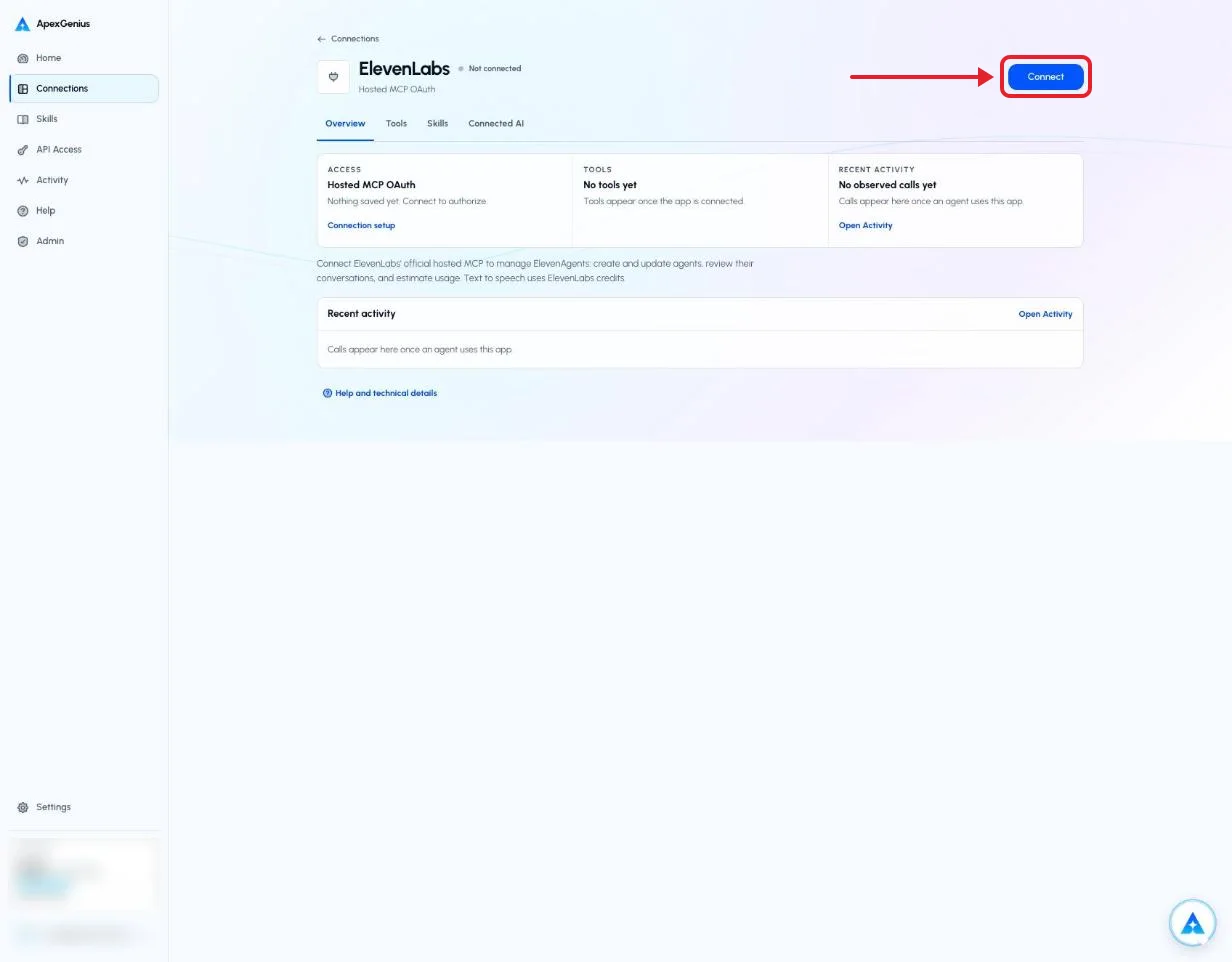
Each guide includes the AI setup and a first question for ElevenLabs.
Current governance
ApexGenius keeps the selected context and current tool surface visible, then records supported write activity for review.
Authorized context
The connection acts as the ElevenLabs user who signed in, for the one workspace chosen at sign-in. Your ElevenLabs permissions set what it can do.
Current tool surface
The read route runs only operations that ElevenLabs' live catalog labels read-only, and rejects writes and unlabeled operations.
Reviewable activity
Enabled writes run immediately. Turn a tool off to block calls.
creative_generate_speech, creative_generate_image, creative_generate_video, creative_edit_image and creative_transcribe_audio spend credits from your ElevenLabs plan. A second call starts a second charge, so retries cost credits.
Why a gateway
Your AI starts with three ApexGenius gateway tools. It discovers the ElevenLabs operations available to its authorization when a task needs them, then runs the selected operation through the gateway.
Connect ElevenLabs to ApexGenius, then authorize each AI client to use the saved connection with its own tool permissions.
Give one client read-only and the write operations never appear in its tool list at all.
Which agent asked, what ran, and whether it succeeded, kept per connection for review.
Choose your AI client for setup steps and examples using ElevenLabs.
FAQ
More connectors
MCP-compatible AI agents


Codex starts in Plugins in the ChatGPT desktop app. ChatGPT Chat and Work also use Plugins, with personal setup where Developer Mode is permitted. Each AI client has its own guide and authorization requirements.
App connections



Salesforce keeps connection context. Other providers use your signed-in account.
Use the AI you already work in while ApexGenius keeps the app route visible.
Connect ElevenLabs1,000 free credits · No card required
Compatibility does not imply partnership.


