Account
blotato_get_userRead your Blotato profile and plan.

Blotato MCP connector
Blotato API key · Available
Connect your AI agents to Blotato over MCP: read post results and messages, and publish or schedule posts, make visuals and reply in Blotato.
Connect a Blotato account once in ApexGenius with its API key, then read your social accounts, posts, results, comments and direct messages, and publish or schedule posts, make visuals, reply and run DM automations from compatible AI agents. Each AI agent needs its own ApexGenius setup.
1,000 free credits · No card required
Blotato
App connector
Bring your Blotato account and reusable skills to compatible AI agents. Read post results and messages, then publish, schedule, make visuals and reply.
Reviewed Oct 9, 2026


Claude / ChatGPT
MCP client
ApexGenius route
Gateway context
Blotato
Authorized session
Why the gateway is here
It keeps the Blotato authorization, tools, and activity behind the same managed route you use for your other supported systems.
Ask it
These questions use the Blotato tools below. Start with a read after connecting your channel or account.
Tools
The reviewed catalog contains these 35 Blotato tools. Search by tool name, job, or access type.
Open the generated tool referenceAccount
blotato_get_userRead your Blotato profile and plan.
Account
blotato_get_creditsRead your remaining Blotato credits.
Account
blotato_list_accountsList the social accounts connected to Blotato.
Account
blotato_list_pinterest_boardsList the boards on a connected Pinterest account.
Posts
blotato_create_postPublish a post to a connected account, or schedule it. Published posts are public.
Posts
blotato_get_post_statusCheck whether a post published.
Posts
blotato_list_postsList your scheduled, published and failed posts.
Posts
blotato_list_schedulesList your scheduled posts.
Posts
blotato_get_scheduleRead one scheduled post.
Posts
blotato_update_scheduleChange a scheduled post’s content or time.
Posts
blotato_delete_scheduleDelete a scheduled post. It cannot be undone.
Results
blotato_get_post_analyticsRead a published post’s results over time.
Results
blotato_list_top_postsList your best posts by the measure you choose.
Content and visuals
blotato_create_sourcePull and summarize content from a link, a YouTube video or text.
Content and visuals
blotato_get_source_statusCheck a source that is still being read.
Content and visuals
blotato_list_visual_templatesList the visual templates you can use.
Content and visuals
blotato_create_visualMake an image, infographic, carousel, slideshow or video from a template. Uses credits.
Content and visuals
blotato_get_visual_statusCheck a visual that is still being made.
Content and visuals
blotato_create_presigned_upload_urlGet a link to upload a file of your own.
Comments and messages
blotato_list_commentsList comments on your posts.
Comments and messages
blotato_get_commentRead one comment.
Comments and messages
blotato_post_commentPost a comment or reply on Instagram or Facebook.
Comments and messages
blotato_list_conversationsList your direct message conversations.
Comments and messages
blotato_get_conversationRead one conversation.
Comments and messages
blotato_list_messagesList direct messages.
Comments and messages
blotato_get_messageRead one direct message.
Comments and messages
blotato_send_messageSend a direct message on Facebook or Instagram.
DM automations
blotato_list_automationsList your DM automations.
DM automations
blotato_create_automationCreate a DM automation that messages people when it is triggered.
DM automations
blotato_update_automationChange a DM automation.
DM automations
blotato_update_automation_triggerTurn one trigger on or off. It takes effect right away.
DM automations
blotato_delete_automationArchive a DM automation so it stops sending.
DM automations
blotato_get_automation_analyticsRead a DM automation’s results.
DM automations
blotato_list_automation_runsList a DM automation’s runs.
DM automations
blotato_list_automation_logsRead a DM automation’s logs.
Connection model
The Blotato connection belongs to your signed-in account. Any Blotato-native resources stay inside that provider.
Read connection details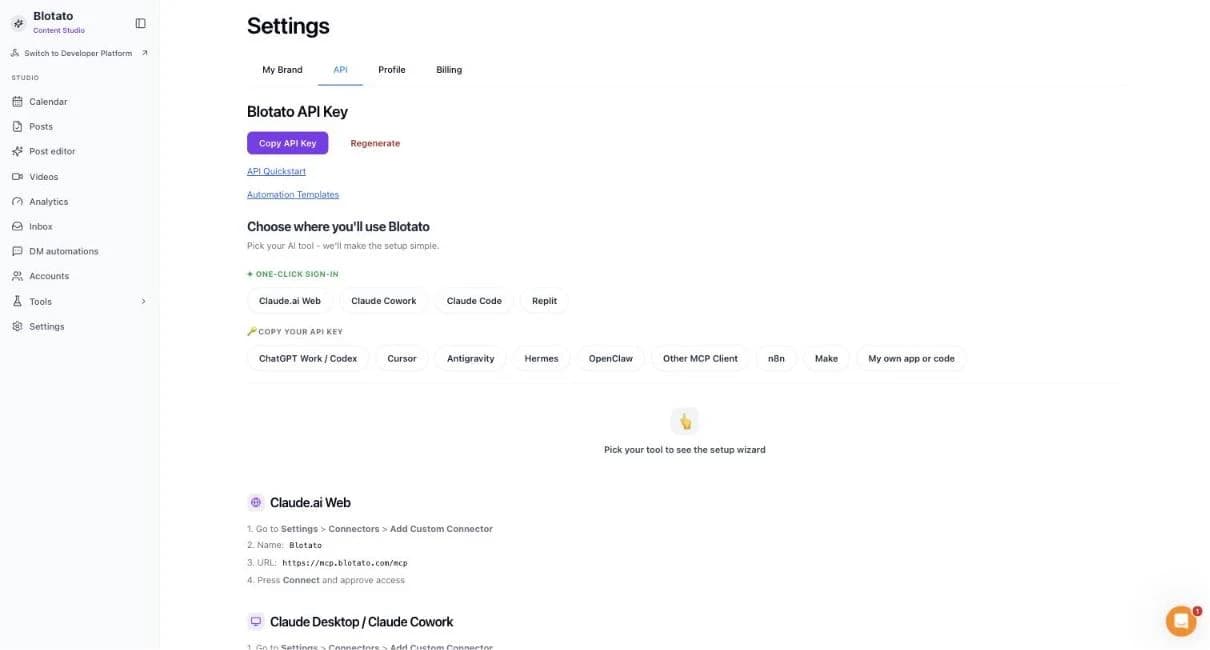
Each guide includes the AI setup and a first question for Blotato.
Current governance
ApexGenius keeps the selected context and current tool surface visible, then records supported write activity for review.
Authorized context
The API key decides which Blotato account, social accounts and credits can be used.
Current tool surface
Published posts, comments and direct messages are public or reach real people right away. Making visuals uses Blotato credits.
Reviewable activity
Enabled writes run immediately. Turn a tool off to block calls.
Disconnecting stops future access. It does not take down a published post or a sent message.
Why a gateway
Your AI starts with three ApexGenius gateway tools. It discovers the Blotato operations available to its authorization when a task needs them, then runs the selected operation through the gateway.
Connect Blotato to ApexGenius, then authorize each AI client to use the saved connection with its own tool permissions.
Give one client read-only and the write operations never appear in its tool list at all.
Which agent asked, what ran, and whether it succeeded, kept per connection for review.
Choose your AI client for setup steps and examples using Blotato.
FAQ
More connectors
MCP-compatible AI agents


Codex starts in Plugins in the ChatGPT desktop app. ChatGPT Chat and Work also use Plugins, with personal setup where Developer Mode is permitted. Each AI client has its own guide and authorization requirements.
App connections



Salesforce keeps connection context. Other providers use your signed-in account.
Use the AI you already work in while ApexGenius keeps the app route visible.
Connect Blotato1,000 free credits · No card required
Compatibility does not imply partnership.

