


Connect Hermes Agent to Trello
Connect Hermes Agent to Trello in 3 steps: 1. Sign in to ApexGenius and connect Trello. 2. Add the ApexGenius MCP server. 3. Start using Trello in Hermes Agent.
1,000 free credits · No card required
How to connect Trello to Hermes Agent
- 1Sign in to ApexGenius and connect Trello
- 2Add the ApexGenius MCP server to Hermes Agent
- 3Start using Trello in Hermes Agent
- 1
Connect Trello to ApexGenius
Open Trello in ApexGenius
Open Trello in Connections and choose Connect.
- 2
Connect ApexGenius to Hermes Agent
Copy the MCP address
On Start, pick API key, open Manual setup, and copy the MCP address.
- 3
Approve access
ApexGenius opens its approval page. Review the access, then approve.
Add the ApexGenius MCP server to Hermes Agent
Hermes Agent reads MCP servers from ~/.hermes/config.yaml, under mcp_servers.
- Add the apexgenius entry under
mcp_serversand save the file. - In a new terminal, run
hermes mcp login apexgenius. Hermes prints an authorize URL and opens your browser when it can. - Sign in to ApexGenius and approve access.
- Start Hermes with
hermes chat, or run/reload-mcpin a session that is already open.
mcp_servers:
  apexgenius:
    url: "https://server.autom8.pro/mcp"
    auth: oauth
Check it. Run hermes mcp test apexgenius. It connects, lists the tools it found and exits 0 when the connection completes.
Steps follow Hermes Agent documentation, MCP (Model Context Protocol) (opens in a new tab), read November 12, 2026.
Then ask Hermes Agent
List my open Trello boards with their names and links. Do not create, move or change anything.
Written setup, step by stepShow
Before you start
- A Trello account that admins a Workspace.
- An API key from your own app at trello.com/power-ups/admin, and a token made for that key.
1. Connect Trello to ApexGenius
- Get an API key from Trello. Open trello.com/power-ups/admin and choose New. Choose My app doesn’t use Power-Up capabilities, then fill in the name, your Workspace, the two emails and the author, and choose Create. Open the Trello Auth tab and choose Generate a new API Key. Copy the API key. Trello may ask you to accept its developer agreement on your first visit.
- Open Trello in Connections. Choose Connect or Add connection, and paste the API key.
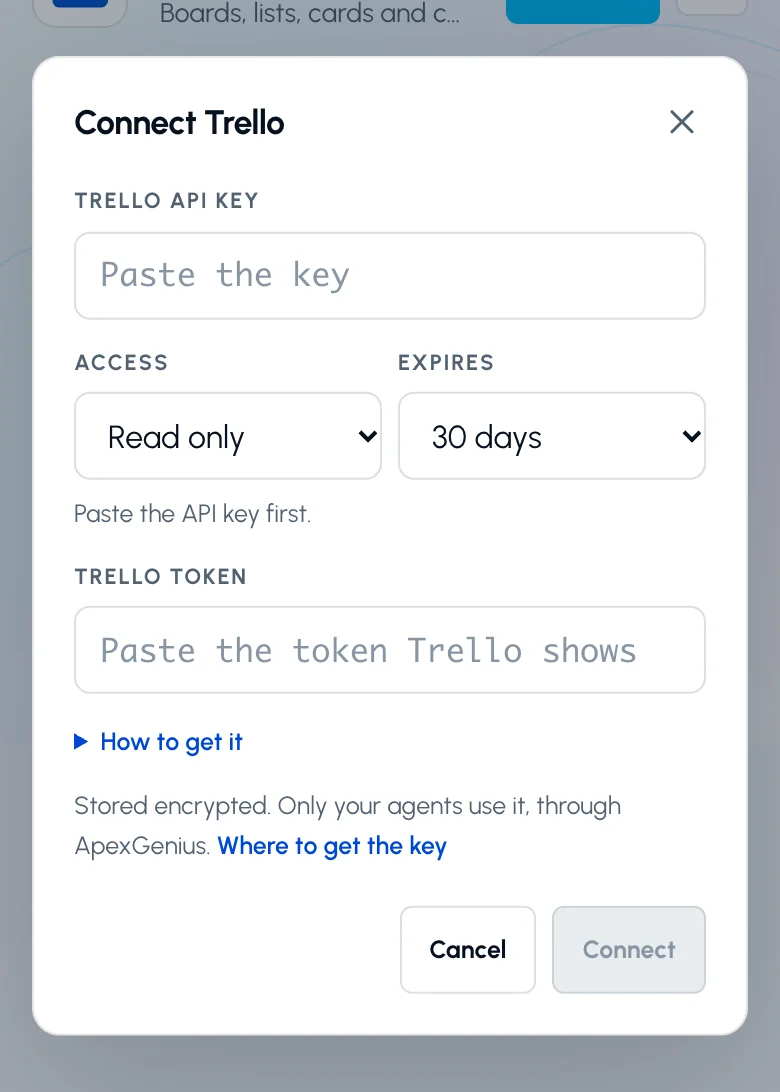
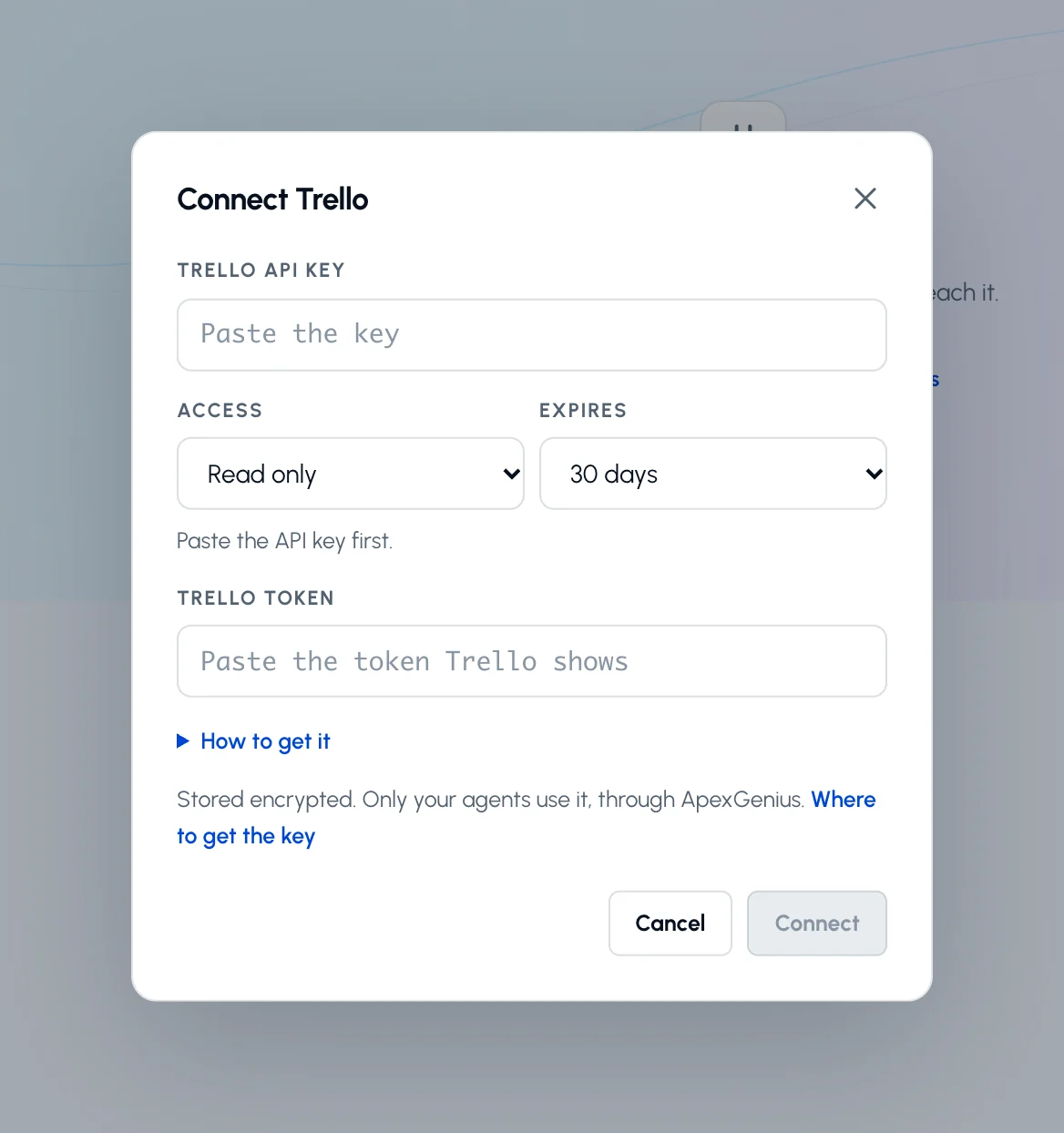
Paste your Trello API key, pick the access and how long the token lasts, then paste the token Trello shows. How to get it walks through both.Open full-size image (opens in a new tab) - Make a token for that key. Pick Read only or Read and write, and how long the token lasts. Choose Make a token on Trello, check the access Trello lists, and choose Allow. Copy the token Trello shows and paste it under the key.
- Check the saved connection. Save after the check succeeds. ApexGenius checks the key and token with Trello before saving. Review the Tools tab. A Read only token makes Trello refuse every change.
2. Connect ApexGenius to Hermes Agent
Use this server address when adding the connection:
https://server.autom8.pro/mcpThe steps are above, under Add the ApexGenius MCP server to Hermes Agent. These notes apply to Hermes Agent only.
- On a server with no browser. Hermes prints “Or paste the redirect URL here” beside the authorize URL. Open the URL on your own machine, approve, and paste the full URL the browser lands on. That page shows a connection error, which is expected.
- Use a new terminal for the sign-in. Editing
config.yamlinside a running session reloads MCP with a 30 second limit, too short for a browser sign-in.hermes mcp loginwaits five minutes. - Where the sign-in is kept. Hermes caches the tokens at
~/.hermes/mcp-tokens/apexgenius.jsonand reuses them until a refresh fails. Runhermes mcp login apexgeniusagain if that happens. - Tool names. Hermes prefixes each MCP tool with the server name, so the ApexGenius tools carry apexgenius in their names.
- Access. When ApexGenius asks what Hermes Agent may use, choose Read only for the first test, or Custom to limit it to the tools you need.
3. Verify one safe read
List my open Trello boards with their names and links. Do not create, move or change anything.
List my open Trello boards with their names and links. Do not create, move or change anything.Compare the boards with your Trello home page. Listing boards changes nothing in Trello.
Full guide: the Trello setup guide.
What it looks like in Hermes Agent
Illustration of a task, not a recorded customer result. Your answers come from the account and dates you choose.
apex_search_toolsTrello boards · Find the Trello read routeCompleteapex_call_read_toollist_member_boards · List open boardsCompleteIllustrative example: four open boards, led by Product roadmap and Website launch, each with its link. Nothing was changed.
Read-only routeWhat to ask Hermes Agent about Trello
- List boards
List my open Trello boards with their names and links. Do not create, move or change anything.
Runs
list_member_boards(read). - Due this week
Which cards on the board I name are due this week, and which list is each one in?
Runs
list_board_lists(read), thenlist_board_cards(read). - What is left
Read the comments and checklist on the card I name and tell me what is left to do.
Runs
list_card_checklists(read), thenlist_card_actions(read).
These 3 questions use 5 of Trello’s 25 operations. The full list is below.
- Move the card I name to Done and add a comment that it shipped. Show me the change first. (write)
What Hermes Agent can do in Trello
25 operations: 20 read, 5 write. Read looks things up and changes nothing. Writes change Trello and run only when you turn them on.
Account and workspaces
5 readget_mereadRead the connected Trello member.
list_member_workspacesreadList the workspaces you belong to.
get_workspacereadRead one workspace.
list_workspace_boardsreadList the boards in a workspace.
list_workspace_membersreadList the members of a workspace.
Boards
6 readlist_member_boardsreadList the boards you can see.
get_boardreadRead one board.
list_board_listsreadList the lists on a board.
list_board_membersreadList the members of a board.
list_board_labelsreadList the labels on a board.
list_board_actionsreadRead recent board activity, comments included.
Lists and cards
5 readsearchreadSearch boards and cards by text.
list_board_cardsreadList the cards on a board.
get_listreadRead one list.
list_list_cardsreadList the cards in a list.
get_cardreadRead one card with its dates, labels and members.
Checklists and comments
4 read · 1 writelist_board_checklistsreadList the checklists on a board.
list_card_checklistsreadList the checklists on a card.
get_checklistreadRead one checklist and its items.
list_card_actionsreadRead a card’s comments and history.
add_commentwriteAdd a comment to a card.
Change cards
4 writecreate_cardwriteCreate a card in a list.
update_cardwriteChange a card’s name, description, dates, members or labels.
move_cardwriteMove a card to another list or board.
archive_cardwriteArchive a card, or bring it back.
You choose the access. When you approve Hermes Agent, pick Full access, Read only, or Custom.
One connection covers one Trello account and every board it can see.
The token decides what Trello allows. A Read only token makes Trello refuse every change, whatever the tool settings say.
The key and token go only to api.trello.com, in the Authorization header, never in a URL.
Enabled writes run immediately. Turn a tool off to block calls.
An archived card can be brought back. A comment cannot be removed through ApexGenius, and a Trello notification cannot be recalled. Permanent deletes are not offered.
Questions about connecting Hermes Agent to Trello
Updated November 12, 2026.
How do I connect Hermes Agent to Trello?
Sign in to ApexGenius and connect Trello. In Hermes Agent, add an apexgenius entry with the ApexGenius MCP address and auth: oauth under mcp_servers in ~/.hermes/config.yaml, then run hermes mcp login apexgenius. Then ask Hermes Agent: “List my open Trello boards with their names and links. Do not create, move or change anything.” Start with a read, so nothing changes.
How do I check that Hermes Agent can use Trello?
Run hermes mcp test apexgenius. It connects, lists the tools it found and exits 0 when the connection completes. In a session that is already open, /reload-mcp picks up a config change. If the sign-in has expired, run hermes mcp login apexgenius again. Then ask: “List my open Trello boards with their names and links. Do not create, move or change anything.”
Why does Trello need a key and a token?
The key names your app. The token is your permission for that app to use your Trello account, with the access and expiration you picked. ApexGenius checks both with Trello before saving.
Can my AI change cards?
Only with a token made with Read and write. Then it can create, change, move, archive and comment on cards. Enabled writes run immediately. Turn a tool off to block calls.
What happens when the token expires?
Trello stops accepting it, and the connection asks you to reconnect. Make a new token for the same key and paste it.
Can I start with read-only access?
Yes. Make the token with Read only, and Trello refuses every change. You can also choose Read only when you add your AI agent.
Does this use the Trello MCP server?
No. ApexGenius uses the official Trello REST API with your key and token.
More connections like this one
Hermes Agent with other apps
 Supabase
 Cal.com
 GitHub
 Stripe
 Linear
 Jira
 HQ Rental
 Google Forms
All 48 apps Hermes Agent can use
 Google Tasks
 Google Calendar
 Google Sheets
 Calendly
 ClickUp
 monday.com
 ElevenLabs
 FreshBooks
 GitLab
 Mobbin
 Slack
 Discord
 ChatGPT Ads
 Context.dev
 Attio
 Semrush
 Notion
 Apify
 Google Ads
 Google Analytics
 Google Meet
 Gmail
 Google Chat
 Google Docs
 Google Drive
 Google Slides
 Apollo
 Blotato
 Bing Webmaster
 Atlassian Rovo
 Polymarket
 OP.GG
 YouTube
- YouTube Analytics
 Salesforce
 n8n
 Confluence
 Google Search Console
 TypeSafe
 HubSpot
 Claude
 Grok Bot
 Muse
Connect Trello to Hermes Agent today
Start free1,000 free credits. No card required. Disconnect any time.