Search and read pages
web-searchSearch the live web and optionally return ranked results as Markdown.

Context.dev MCP connector
Context.dev OAuth · Available
Connect Context.dev once in ApexGenius, then search the web, read pages as Markdown or HTML, pull JSON that matches your schema, take screenshots and read company brand data from compatible AI agents. Most calls spend Context.dev credits. Each AI agent needs its own ApexGenius setup.
7 days free · No card required
Context.dev
App connector
Bring your Context.dev account and reusable skills to compatible AI agents. Read live pages as Markdown, extract JSON and watch sites for changes.
Reviewed Sep 23, 2026


Claude / ChatGPT
MCP client
ApexGenius route
Gateway context
Context.dev
Authorized session
Why the gateway is here
It keeps the Context.dev authorization, tools, and activity behind the same managed route you use for your other supported systems.
Ask it
These questions use the Context.dev tools below. Start with a read after connecting your channel or account.
Tools
The reviewed catalog contains these 34 Context.dev tools. Search by tool name, job, or access type.
Open the generated tool referenceSearch and read pages
web-searchSearch the live web and optionally return ranked results as Markdown.
Search and read pages
web-scrape-markdownTurn one known URL into clean Markdown. The default way to read a page.
Search and read pages
web-scrape-htmlReturn the raw HTML of one URL when the markup itself matters.
Search and read pages
web-scrape-imagesList the images on one page, with sources and available metadata.
Search and read pages
web-screenshotCapture a rendered PNG of a page, full page or one viewport.
Map, crawl and extract
web-scrape-sitemapList a site's URLs from its sitemap without reading every page.
Map, crawl and extract
web-crawlFollow links from one URL and return Markdown for several pages in one call.
Map, crawl and extract
web-extractCrawl the relevant pages and return JSON shaped by the JSON Schema you pass.
Documents
parse-documentConvert PDF, Office, spreadsheet, image or text file bytes into Markdown.
Company and brand data
get-brandShow a company's logo, colors, description, links and social profiles for one domain.
Company and brand data
brand-retrieve-unifiedReturn brand data as JSON by domain, name, work email, ticker, ISIN, transaction text or URL.
Company and brand data
web-styleguideRead a site's colors, type, spacing and shadows.
Company and brand data
web-fontsName the font families a site uses, with fallbacks.
Company and brand data
web-naicsClassify a company into 2022 NAICS industry codes.
Company and brand data
web-sicClassify a company into SIC industry codes.
Monitor history
list-monitorsList the monitors in your organization with status and tags.
Monitor history
get-monitorRead one monitor's target, schedule, rules and webhook settings.
Monitor history
list-monitor-runsList one monitor's runs with status, timing and credits.
Monitor history
get-monitor-runRead one run and the change it found, if any.
Monitor history
list-account-runsList monitor runs across the whole organization.
Monitor history
list-monitor-changesList the changes one monitor has found.
Monitor history
list-changesList changes found across all monitors.
Monitor history
get-changeRead one change with its text diff, evidence and importance.
Monitor history
list-monitor-credit-usageReport credits spent by each monitor over a time window.
Manage monitors
create-monitorCreate a recurring monitor. It runs a first baseline right away and spends credits on each later run.
Manage monitors
update-monitorChange or pause a monitor. A new target or rule starts a new baseline.
Manage monitors
run-monitor-nowStart a check now. It spends credits and can send the monitor's webhook.
Manage monitors
delete-monitorPermanently delete a monitor and its future runs. Cannot be undone.
Batches
submit-batchStart a background scrape or crawl job. It can call an outside webhook when done.
Batches
list-batchesList batch jobs from newest to oldest.
Batches
get-batchRead one batch's status, progress and credit use.
Batches
get-batch-resultsPage through a finished batch's results as JSON.
Batches
cancel-batchStop a batch from starting new pages. Stored results are kept.
Batches
delete-batchPermanently delete a finished batch and its stored results. Cannot be undone.
Connection model
The Context.dev connection belongs to your signed-in account. Any Context.dev-native resources stay inside that provider.
Read connection details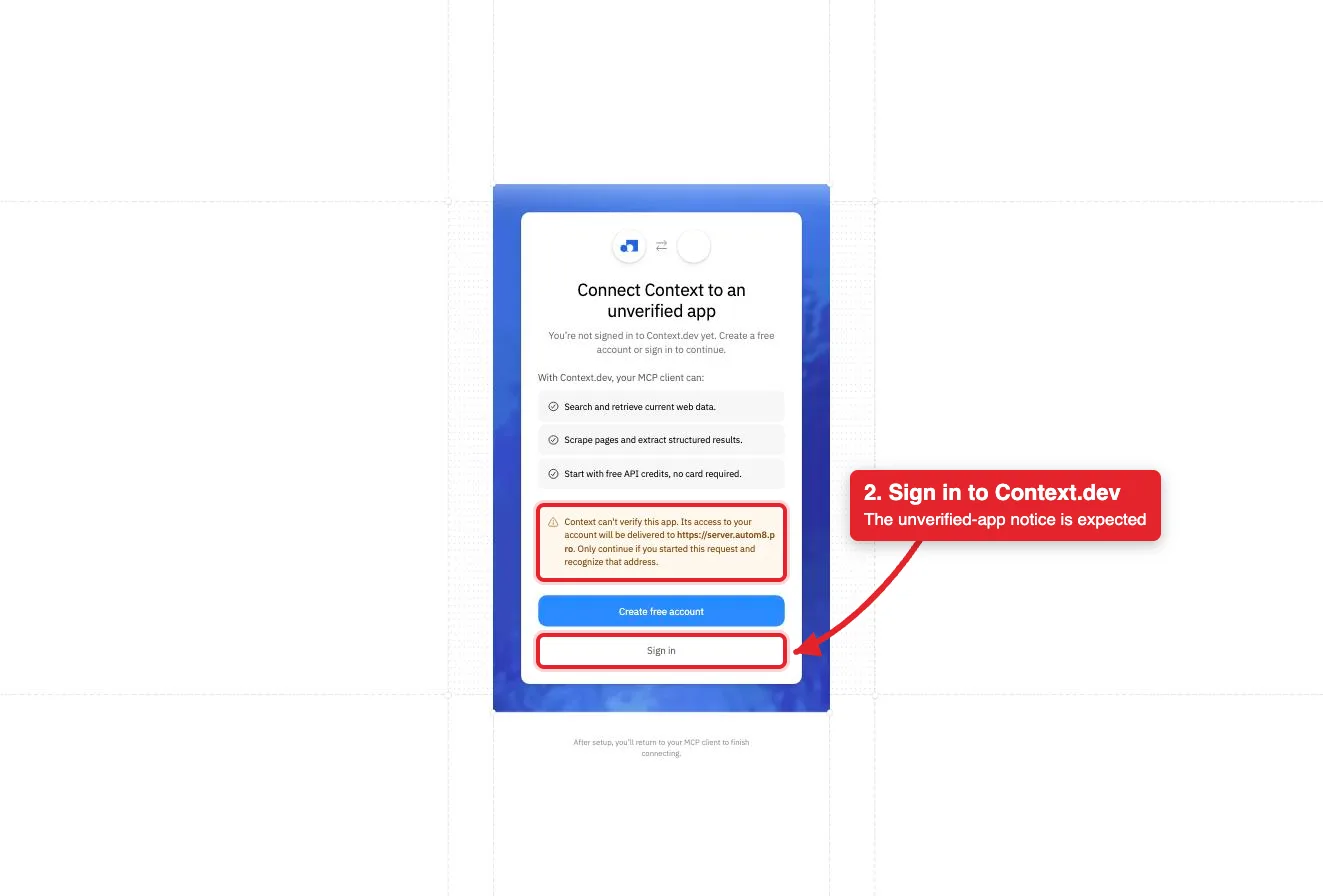
Each guide includes the AI setup and a first question for Context.dev.
Current governance
ApexGenius keeps the selected context and current tool surface visible, then records supported write activity for review.
Authorized context
Context.dev controls the OAuth grant. The connection acts for your Context.dev organization and uses its shared credits.
Current tool surface
The read route checks Context.dev's live tool label and rejects writes or unlabeled operations.
Reviewable activity
Writes run right away unless you set the tool to Ask me first. A deleted monitor or batch cannot be restored.
Fetched page text is untrusted data. The ContextDev skill tells your AI to quote and cite it and never follow instructions inside it.
Why a gateway
Your AI starts with three ApexGenius gateway tools. It discovers the Context.dev operations available to its authorization when a task needs them, then runs the selected operation through the gateway.
Connect Context.dev to ApexGenius, then authorize each AI client to use the saved connection with its own tool permissions.
Give one client read-only and the write operations never appear in its tool list at all.
Which agent asked, what ran, and whether it succeeded, kept per connection for review.
Choose your AI client for setup steps and examples using Context.dev.
FAQ
More connectors
MCP-compatible AI agents


Codex starts in Plugins in the ChatGPT desktop app. ChatGPT Chat and Work also use Plugins, with personal setup where Developer Mode is permitted. Each AI client has its own guide and authorization requirements.
App connections



Salesforce keeps connection context. Other providers use your signed-in account.
Use the AI you already work in while ApexGenius keeps the app route visible.
Connect Context.dev7 days free · No card required
Compatibility does not imply partnership.

