League esports
lol_esports_list_schedulesRead match schedules and recent results, including Worlds.

OP.GG MCP connector
No API key required · Available
Connect Claude, ChatGPT and other AI agents to OP.GG over MCP: read Worlds schedules and results, plus League, TFT and Valorant player and champion stats.
Check Worlds schedules and results, then look up public player and champion stats. Reuse the OP.GG connection and its skill in each compatible AI agent you set up.
1,000 free credits · No card required
OP.GG
App connector
Bring OP.GG game data and a reusable League/Worlds skill to compatible AI agents.
Reviewed Oct 16, 2026


Claude / ChatGPT
MCP client
ApexGenius route
Gateway context
OP.GG
Public data service
Why the gateway is here
It keeps public data tools and a reusable skill with your ApexGenius setup. Each compatible AI agent uses the access you give it.
Ask it
Start with one public read. Keep the source and the time checked with the result.
Tools
The reviewed catalog contains these 29 OP.GG tools. Search by tool name, job, or access type.
Open the generated tool referenceLeague esports
lol_esports_list_schedulesRead match schedules and recent results, including Worlds.
League esports
lol_esports_list_team_standingsRead current team standings for a league.
League players
lol_get_pro_player_riot_idFind a pro player’s public Riot ID in a region.
League players
lol_get_summoner_profileRead a player’s rank, profile and champion pool.
League players
lol_list_summoner_matchesRead recent public match history for a Riot ID.
League players
lol_get_summoner_game_detailRead the players and stats in one public match.
League champions
lol_get_champion_analysisRead champion win, pick and ban rates with builds.
League champions
lol_get_champion_synergiesRead champion synergy data for selected roles.
League champions
lol_get_lane_matchup_guideRead a lane matchup guide for two champions.
League champions
lol_list_champion_detailsRead champion abilities, tips, lore and base stats.
League champions
lol_list_champion_leaderboardRead a champion leaderboard for a region.
League champions
lol_list_championsRead the champion catalog.
League champions
lol_list_lane_meta_championsRead champion statistics and tiers by lane.
League items and skins
lol_list_aram_augmentsRead ARAM augment details.
League items and skins
lol_list_discounted_skinsRead current skin sale information. Makes no purchase.
League items and skins
lol_list_itemsRead game item names, costs and stats.
League items and skins
lol_list_skin_stats_for_championRead skin statistics for one champion.
Teamfight Tactics
tft_get_champion_item_buildRead item builds for a TFT champion.
Teamfight Tactics
tft_get_play_styleRead public TFT play-style data for a player.
Teamfight Tactics
tft_list_augmentsRead TFT augments and their descriptions.
Teamfight Tactics
tft_list_champions_for_itemRead TFT champions associated with an item.
Teamfight Tactics
tft_list_item_combinationsRead TFT item recipes.
Teamfight Tactics
tft_list_meta_decksRead current TFT compositions and stats.
Valorant
valorant_list_agent_compositions_for_mapRead agent compositions for a Valorant map.
Valorant
valorant_list_agent_statisticsRead Valorant agent statistics.
Valorant
valorant_list_agentsRead agent abilities, roles and metadata.
Valorant
valorant_list_leaderboardRead a regional Valorant leaderboard.
Valorant
valorant_list_mapsRead Valorant map metadata.
Valorant
valorant_list_player_matchesRead public Valorant match history for a Riot ID.
Connection model
The OP.GG connection belongs to your signed-in account. Any OP.GG-native resources stay inside that provider.
Read connection details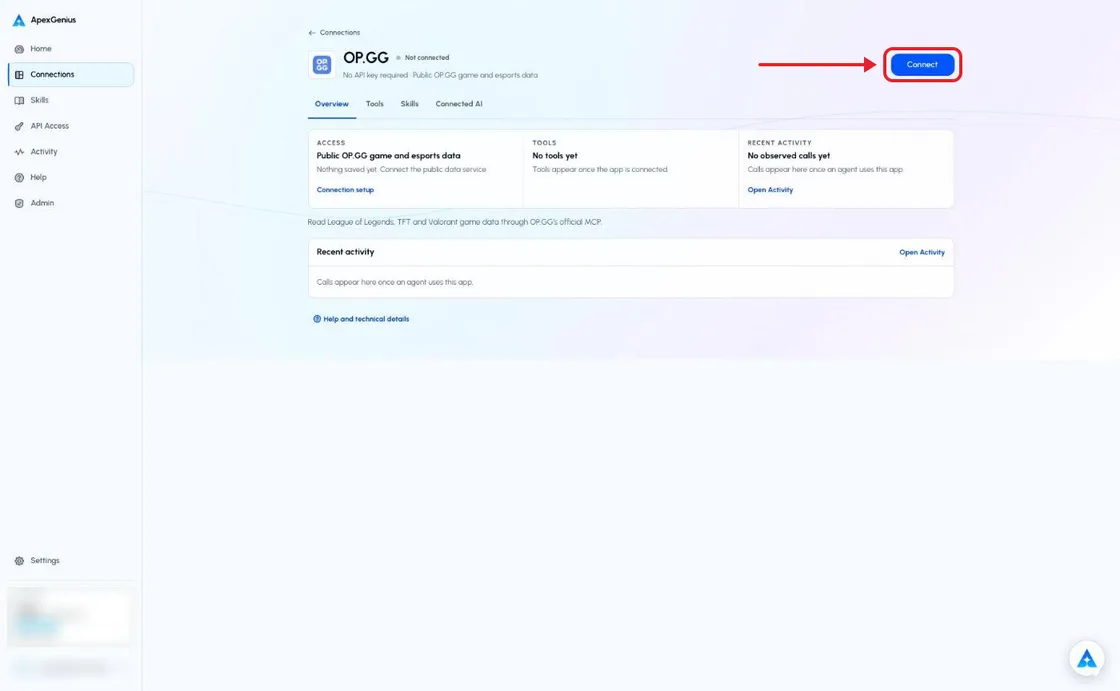
Each guide includes the AI setup and a first question for OP.GG.
Current governance
ApexGenius keeps the selected context and current tool surface visible, then records supported write activity for review.
Authorized context
The connection reaches OP.GG’s official public MCP. It does not sign in to a game account.
Current tool surface
Only reviewed reads are offered. New tools and changed input schemas need a review before they can run.
Reviewable activity
Worlds and LCS are separate competitions. Solo-queue statistics are not professional match statistics.
Current esports tools have no season or year filter. Keep unknown teams, empty results and source freshness explicit.
Why a gateway
Your AI starts with three ApexGenius gateway tools. It discovers the OP.GG operations available to its authorization when a task needs them, then runs the selected operation through the gateway.
Connect OP.GG to ApexGenius, then authorize each AI client to use the saved connection with its own tool permissions.
Give one client read-only and the write operations never appear in its tool list at all.
Which agent asked, what ran, and whether it succeeded, kept per connection for review.
Choose your AI client for setup steps and examples using OP.GG.
FAQ
More connectors
MCP-compatible AI agents


Codex starts in Plugins in the ChatGPT desktop app. ChatGPT Chat and Work also use Plugins, with personal setup where Developer Mode is permitted. Each AI client has its own guide and authorization requirements.
App connections



Salesforce keeps connection context. Other providers use your signed-in account.
Use the AI you already work in while ApexGenius keeps the app route visible.
Connect OP.GG1,000 free credits · No card required
Compatibility does not imply partnership.


