Account and schema
get_user_detailsRead the connected user, account and object access. Start here.

HubSpot MCP connector
HubSpot MCP OAuth · Available
Connect Claude, ChatGPT and other AI agents to HubSpot over MCP: search contacts, companies and deals, and create or update records in one HubSpot portal.
Connect HubSpot once in ApexGenius through HubSpot’s official hosted MCP, then search and read contacts, companies, deals, tickets, conversations and campaign analytics from compatible AI agents, and create or update CRM records. Each AI agent needs its own ApexGenius setup.
1,000 free credits · No card required
HubSpot
App connector
Bring your HubSpot connection to compatible AI agents. Search contacts, companies and deals, then create or update CRM records.
Reviewed Oct 26, 2026


Claude / ChatGPT
MCP client
ApexGenius route
Gateway context
HubSpot
Authorized session
Why the gateway is here
It keeps the HubSpot authorization, tools, and activity behind the same managed route you use for your other supported systems.
Ask it
These questions use the HubSpot tools below. Start with a read after connecting your channel or account.
Tools
The reviewed catalog contains these 29 HubSpot tools. Search by tool name, job, or access type.
Open the generated tool referenceAccount and schema
get_user_detailsRead the connected user, account and object access. Start here.
Account and schema
get_organization_detailsRead teams, job titles, seat counts and account settings.
Account and schema
discover_hubspot_schemaFind object types and whether each can be read or written.
Account and schema
tool_guidanceRead HubSpot’s usage notes for one or more tools.
CRM records
search_crm_objectsSearch and filter CRM records, up to 200 a page.
CRM records
get_crm_objectsRead up to 100 CRM records by id.
CRM records
query_crm_dataQuery CRM data with HubSpot’s SQL. No joins or subqueries.
CRM records
search_ownersFind record owners by name, email or id.
CRM records
manage_crm_objectsCreate or update CRM records and activities.
Properties, pipelines and segments
search_propertiesFind property definitions by keyword.
Properties, pipelines and segments
get_propertiesRead full property definitions, with types and options.
Properties, pipelines and segments
manage_custom_propertiesCreate custom properties on CRM objects.
Properties, pipelines and segments
manage_custom_pipelinesCreate and change pipelines.
Properties, pipelines and segments
manage_segmentCreate segments, and add or remove records in static segments.
Conversations and intent
search_conversationsSearch conversations and messages in the inboxes you can see.
Conversations and intent
get_conversation_channel_metadataList inboxes, channels and channel instances.
Conversations and intent
search_intent_signalsSearch buyer intent signals, grouped by company.
Campaigns and marketing email
read_campaign_dataRead campaign analytics, asset metrics and contacts.
Campaigns and marketing email
get_campaign_attribution_reportsRead closed-won revenue and deal attribution by campaign.
Campaigns and marketing email
get_marketing_email_analyticsRead marketing email results for a date range.
Campaigns and marketing email
manage_campaign_objectsCreate or update campaigns and their assets.
Campaigns and marketing email
manage_marketing_emailManage marketing email templates, drafts, previews and A/B variants.
Content and AI search
get_content_analytics_reportRead analytics for landing pages, website pages and blog posts.
Content and AI search
get_aeo_metricsRead brand-level AI search metrics.
Content and AI search
manage_aeo_promptsRead tracked AI search prompts and their answers, and add new ones.
Content and AI search
manage_aeo_recommendationsReview AI search recommendations and start one.
Content and AI search
manage_landing_pageCreate, edit, clone and publish landing pages. Publishing makes a page public.
Onboarding and feedback
manage_onboardingCheck CRM onboarding status and work through its steps.
Onboarding and feedback
submit_feedbackSend feedback about the MCP server to HubSpot.
Connection model
The HubSpot connection belongs to your signed-in account. Any HubSpot-native resources stay inside that provider.
Read connection details
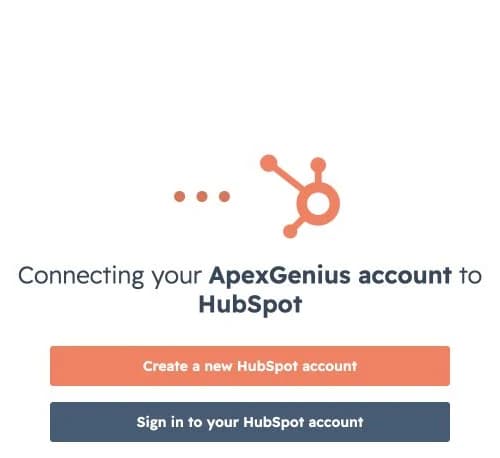
Each guide includes the AI setup and a first question for HubSpot.
Current governance
ApexGenius keeps the selected context and current tool surface visible, then records supported write activity for review.
Authorized context
One connection covers one HubSpot portal and what your HubSpot user can see.
Current tool surface
HubSpot decides which tools the portal gets, from its subscription and your user permissions. get_user_details shows yours.
Reviewable activity
Calls go only to mcp.hubspot.com. ApexGenius keeps the grant encrypted and refreshes it.
Enabled writes run immediately. Turn a tool off to block calls.
Why a gateway
Your AI starts with three ApexGenius gateway tools. It discovers the HubSpot operations available to its authorization when a task needs them, then runs the selected operation through the gateway.
Connect HubSpot to ApexGenius, then authorize each AI client to use the saved connection with its own tool permissions.
Give one client read-only and the write operations never appear in its tool list at all.
Which agent asked, what ran, and whether it succeeded, kept per connection for review.
Choose your AI client for setup steps and examples using HubSpot.
FAQ
More connectors
MCP-compatible AI agents


Codex starts in Plugins in the ChatGPT desktop app. ChatGPT Chat and Work also use Plugins, with personal setup where Developer Mode is permitted. Each AI client has its own guide and authorization requirements.
App connections



Salesforce keeps connection context. Other providers use your signed-in account.
Use the AI you already work in while ApexGenius keeps the app route visible.
Connect HubSpot1,000 free credits · No card required
Compatibility does not imply partnership.