Sites and account
getAccessibleAtlassianResourcesList the sites and apps this connection can reach, with the cloudId each tool needs.

Atlassian Rovo MCP connector
Atlassian OAuth · Available
Connect your AI agents to Atlassian Rovo over MCP: search Jira and Confluence with Rovo, read issues and pages, and follow Teamwork Graph links.
Connect Atlassian's official Rovo MCP server once in ApexGenius, then search across Jira, Confluence and connected apps, read issues, boards, pages and their history, and follow Teamwork Graph links from compatible AI agents. The connection reads only, and an Atlassian organization admin allows ApexGenius first. Each AI agent needs its own ApexGenius setup.
1,000 free credits · No card required
Atlassian Rovo
App connector
Bring Atlassian Rovo search and Teamwork Graph to compatible AI agents. Search across Jira, Confluence and connected apps, then read issues and pages.
Reviewed Oct 16, 2026


Claude / ChatGPT
MCP client
ApexGenius route
Gateway context
Atlassian Rovo
Authorized session
Why the gateway is here
It keeps the Atlassian Rovo authorization, tools, and activity behind the same managed route you use for your other supported systems.
Ask it
These questions use the Atlassian Rovo tools below. Start with a read after connecting your channel or account.
Tools
The reviewed catalog contains these 59 Atlassian Rovo tools. Search by tool name, job, or access type.
Open the generated tool referenceSites and account
getAccessibleAtlassianResourcesList the sites and apps this connection can reach, with the cloudId each tool needs.
Sites and account
atlassianUserInfoRead the signed-in Atlassian account.
Search
searchSearch Jira, Confluence and connected apps in plain words with Rovo. Spends up to 10 Rovo credits a call.
Search
searchJiraIssuesUsingJqlSearch Jira work items with JQL.
Search
searchConfluenceSearch Confluence content with CQL.
Teamwork Graph
getTeamworkGraphContextRead the relationships and linked objects around one Atlassian item. Spends up to 10 Rovo credits a call.
Teamwork Graph
getTeamworkGraphObjectRead every field of one or more objects by ARI or URL. Spends up to 10 Rovo credits a call.
Jira work items
getJiraIssueRead a work item by ID or key.
Jira work items
listJiraIssueCommentsRead a work item's comments, a page at a time.
Jira work items
listJiraIssueChangelogsRead a work item's field-change history, oldest first.
Jira work items
listJiraIssueWorklogsRead the time logged on a work item.
Jira work items
listJiraIssueTransitionsList the workflow moves available for a work item.
Jira work items
listJiraIssueRemoteIssueLinksList a work item's web and remote links.
Jira work items
listJiraIssueLinkTypesList the link types on the site.
Jira work items
downloadJiraIssueAttachmentGet a short-lived download link for an attachment.
Jira work items
getJiraEntityPropertyRead a stored property on a work item, comment, worklog, dashboard item or user.
Jira spaces and setup
listJiraProjectsList the Jira spaces you can see.
Jira spaces and setup
listJiraProjectIssueTypesMetadataList the work item types in a space.
Jira spaces and setup
getJiraIssueTypeMetaWithFieldsRead the fields of one work item type.
Jira spaces and setup
listJiraStatusesList the possible work item statuses.
Jira spaces and setup
listJiraProjectComponentsList a space's components and their owners.
Jira spaces and setup
getJiraProjectVersionsRead a space's versions, or one version.
Jira spaces and setup
getJiraProjectVersionRelatedWorkRead the related work linked to a version.
Jira spaces and setup
listJiraFiltersFind saved filters and their JQL.
Jira spaces and setup
listJiraDashboardsList the dashboards you can see.
Jira boards and sprints
listJiraBoardsList the boards you can see.
Jira boards and sprints
getJiraBoardConfigRead a board's filter, columns and status mapping.
Jira boards and sprints
getJiraBoardIssueDataRead the work items on a board.
Jira boards and sprints
getJiraBoardSprintDataRead a board's sprint, the active one by default.
Jira boards and sprints
listJiraBoardSprintsList a board's sprints by state.
Jira people
getJiraCurrentUserRead the signed-in Jira user.
Jira people
getJiraUserRead a user profile by account ID.
Jira people
lookupJiraAccountIdFind an account ID by name or email.
Jira people
listJiraIssueAssignableUsersList the people who can be assigned in a space or work item.
Confluence pages and spaces
getConfluenceContentRead a page, blog post, whiteboard, database or other content.
Confluence pages and spaces
listConfluenceContentList one content type in a space.
Confluence pages and spaces
resolveConfluenceContentMacrosRead a page with its macros resolved to HTML.
Confluence pages and spaces
exportConfluenceContentExport content as PDF or Word.
Confluence pages and spaces
getConfluenceMauiAppRead the source of a page's interactive visualization.
Confluence pages and spaces
listConfluenceSpacesList the spaces you can open.
Confluence pages and spaces
getConfluenceSpaceRead a space and its content types.
Confluence pages and spaces
getConfluenceSpaceInstructionsRead a space's instructions.
Confluence pages and spaces
getConfluencePersonalSpaceRead your personal space.
Confluence history
listConfluenceContentVersionsList a page's versions.
Confluence history
getConfluenceContentVersionRead one earlier version.
Confluence history
diffConfluenceContentVersionsCompare two versions of a page.
Confluence comments, tasks and reactions
listConfluenceCommentsList the comments on a page or blog post.
Confluence comments, tasks and reactions
getConfluenceCommentRead one comment.
Confluence comments, tasks and reactions
listConfluenceTasksList inline tasks.
Confluence comments, tasks and reactions
getConfluenceTaskRead one inline task.
Confluence comments, tasks and reactions
getConfluenceReactionsList the emoji reactions on content.
Confluence attachments and templates
listConfluenceAttachmentsList a page's attachments.
Confluence attachments and templates
getConfluenceAttachmentRead one attachment's details.
Confluence attachments and templates
downloadConfluenceAttachmentGet a download link for an attachment.
Confluence attachments and templates
listConfluenceTemplatesList templates and blueprints.
Confluence attachments and templates
getConfluenceTemplateRead a template's body.
Confluence access
getConfluenceContentPermissionsList the people and groups granted access to content.
Confluence access
getConfluenceContentRestrictionStateRead whether content is open, edit restricted or view restricted.
Confluence access
getConfluencePublicLinkStatusRead whether a public link is on.
Connection model
The Atlassian Rovo connection belongs to your signed-in account. Any Atlassian Rovo-native resources stay inside that provider.
Read connection details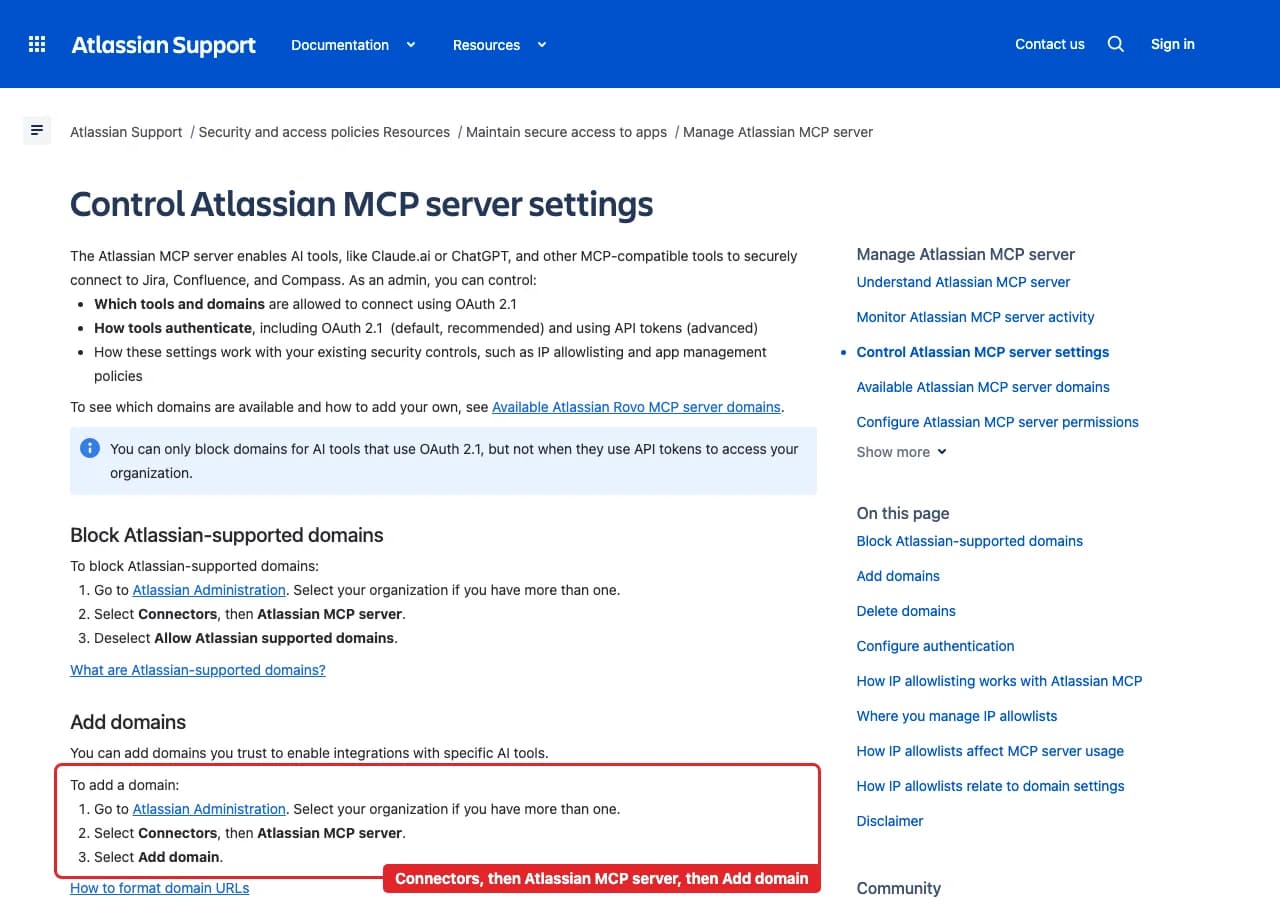
Each guide includes the AI setup and a first question for Atlassian Rovo.
Current governance
ApexGenius keeps the selected context and current tool surface visible, then records supported write activity for review.
Authorized context
Atlassian sets the boundary. One connection covers the Atlassian site you choose at sign-in and sees only what that Atlassian account can see.
Current tool surface
ApexGenius asks Atlassian for read and search scopes only, and reads use a route that checks Atlassian's own read-only label before every call. Jira and Confluence changes use the Jira and Confluence connectors.
Reviewable activity
Rovo search and Teamwork Graph calls can spend up to 10 Rovo credits each from your organization's shared pool. Listing sites spends none.
An Atlassian organization admin allows https://server.autom8.pro/** in Atlassian Administration under Connectors, then Atlassian MCP server, before anyone can connect. Removing it blocks new connections.
Why a gateway
Your AI starts with three ApexGenius gateway tools. It discovers the Atlassian Rovo operations available to its authorization when a task needs them, then runs the selected operation through the gateway.
Connect Atlassian Rovo to ApexGenius, then authorize each AI client to use the saved connection with its own tool permissions.
Give one client read-only and the write operations never appear in its tool list at all.
Which agent asked, what ran, and whether it succeeded, kept per connection for review.
Choose your AI client for setup steps and examples using Atlassian Rovo.
FAQ
More connectors
MCP-compatible AI agents


Codex starts in Plugins in the ChatGPT desktop app. ChatGPT Chat and Work also use Plugins, with personal setup where Developer Mode is permitted. Each AI client has its own guide and authorization requirements.
App connections



Salesforce keeps connection context. Other providers use your signed-in account.
Use the AI you already work in while ApexGenius keeps the app route visible.
Connect Atlassian Rovo1,000 free credits · No card required
Compatibility does not imply partnership.


